Fastest Screenshot Cleaner vs Sponge Gallery Cleaner: Vision screenshot stacks vs monthly swipe sessions
Sponge Gallery Cleaner organizes your Photos library into bite-sized monthly, album or media-type swipe decks to make tidying camera rolls feel lightweight. When screenshots account for thousands of items across three years of months, however, swiping deck after deck still leaves duplicate copies and heavy files scattered across dates. Fastest Screenshot Cleaner ($2.99 US one-time paid download, iOS 26+) gathers every screenshot into size, duplicate and Vision text stacks for instant bulk action.
1. Cross-library screenshot stacks vs calendar-month swipe decks
In Sponge, cleaning by month works nicely for a 40-photo weekend trip, yet screenshots obey topics rather than months: a duplicate QR code saved twice in March and four chat screenshots from October all share the same zero long-term value.
Fastest Screenshot Cleaner ignores calendar-month silos and builds functional cards across all accessible screenshots: Everything, Recent (last two weeks), Portrait, Landscape, Large, Exact Duplicates (SHA-256), Visual Matches (fingerprint + text), plus Apple Vision text groups for Shopping, Invoices, Chats, Books, Code, Web and Apps, and Travel.
| Capability | Fastest Screenshot Cleaner | Sponge Gallery Cleaner |
|---|---|---|
| Primary grouping axis | Size (Large), recency, orientation, duplicates & 7 Vision text topics | Monthly buckets and broad album/media swipe queues |
| Bulk selection mechanism | 3-column grid with one-tap Select All per stack | Swipe-by-swipe card sorting into trash tray before batch confirm |
| Media scope | Screenshots only (PhotoKit screenshot subtype) | All camera photos, videos & screenshots |
| Duplicate screenshot detection | Dedicated SHA-256 Exact & Fingerprint+Text Visual Match stacks | No dedicated Vision-text screenshot duplicate engine |
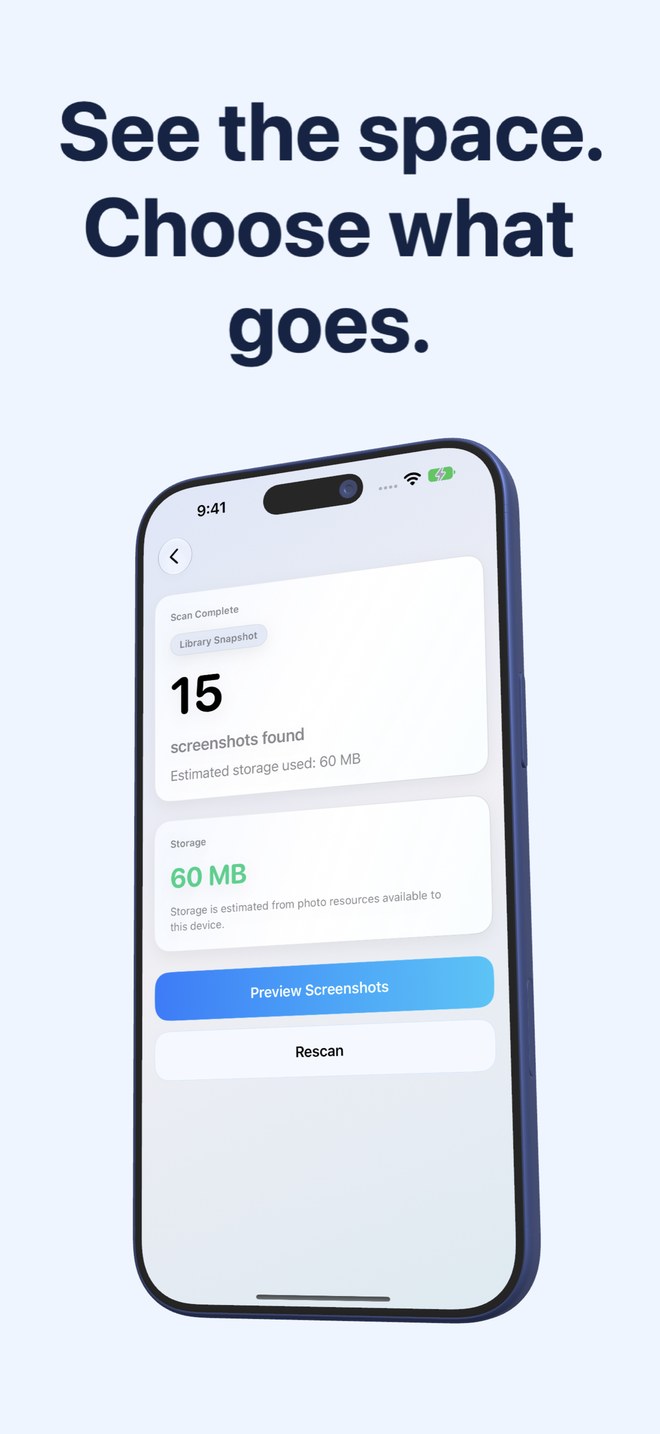
| Per-stack storage totals | Displays total screenshot estimate & per-stack byte sums | Shows space cleared per completed swipe session |
2. Privacy, Limited Access and Home Screen monitoring
Fastest Screenshot Cleaner runs every step on your device—PhotoKit screenshot queries, file resource byte checks, SHA-256 hashing and Apple Vision OCR—without user accounts or cloud uploads. You can even grant iOS Limited Photos access so the app inspects only the exact screenshots you share.
Once your initial pile is gone, the Home Screen widget shows waiting screenshot count and weight at a glance, opening straight into a fresh scan when you tap Scan.
| Factor | Fastest Screenshot Cleaner | Sponge Gallery Cleaner |
|---|---|---|
| Pricing model | $2.99 US one-time paid App Store download; no subscription | Freemium app with paid Pro unlock / subscription options |
| Photos permission flexibility | Full or Limited Photos access fully supported | Designed around broad gallery access |
| On-device OCR text privacy | Apple Vision text stays in memory for grouping; never saved or sent | No screenshot OCR text grouping |
| Supported OS & devices | iPhone & iPad (iOS 26 / iPadOS 26+) | iOS gallery cleaner |
| 30-day recovery window | Yes — system Photos confirmation moves items to Recently Deleted | Yes — PhotoKit deletion moves items to Recently Deleted |
3. When to choose Sponge vs Fastest Screenshot Cleaner
If you want a casual swipe routine for trimming blurry dog photos and duplicate sunset videos from last month’s camera roll, Sponge fits that habit. If you want every screenshot in your library weighed, sorted into Invoices vs Chats, deduplicated and cleared in bulk for $2.99 once, Fastest Screenshot Cleaner is far faster.
| Your situation | Recommended tool | Why |
|---|---|---|
| Swiping through general camera photos & short videos from last weekend | Sponge Gallery Cleaner | Card swiping works well on small batches of personal photos |
| Clearing hundreds or thousands of accumulated screenshots in one sitting | Fastest Screenshot Cleaner | Select All per stack replaces hundreds of manual swipes |
| Finding the biggest Retina PNG screenshots eating storage first | Fastest Screenshot Cleaner | Large stack surfaces heavy files immediately |
| Paying once upfront with zero recurring fees or session limits | Fastest Screenshot Cleaner | $2.99 US paid download with no subscription |
Can Fastest Screenshot Cleaner clean just the last two weeks of screenshots?
Yes. The Recent stack isolates screenshots from the last two weeks so you can do a quick touch-up without scrolling older records.
How does Keep Newest work in duplicate screenshot stacks?
Inside Exact Duplicates or Visual Matches, Keep Newest leaves the most recent screenshot unselected and ticks the older copies in the group for deletion—letting you review crops or edits before confirming.
Does Fastest Screenshot Cleaner require creating an account?
No. There is no sign-in, email prompt or cloud profile.
Will deleting screenshots on my iPhone also remove them on my iPad?
If both devices share the same iCloud Photos library, deletions confirmed through PhotoKit synchronise across your signed-in Apple devices.