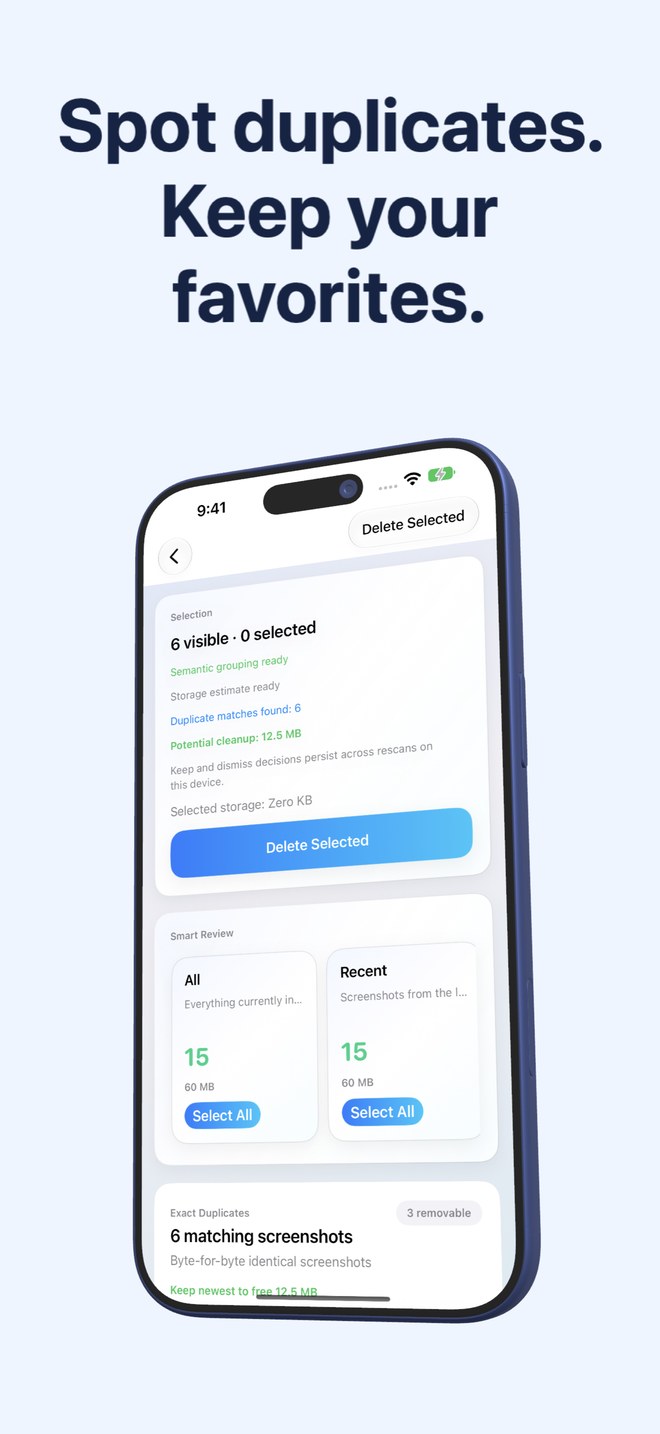
Fastest Screenshot Cleaner vs Alpaca Similar Photo Cleaner: screenshot storage stacks vs burst-photo similarity
Alpaca is a lightweight iOS utility loved for grouping similar camera bursts—five nearly identical portraits or landscapes taken two seconds apart—so you can keep the sharpest shot. Screenshots behave very differently from camera bursts: most wasted screenshot space comes from single, unrelated captures (chats, orders, web pages) plus re-saved copies with text. Fastest Screenshot Cleaner ($2.99 US one-time paid download, iOS 26+) is built specifically for screenshot storage, Vision text stacks and screenshot duplicates.
1. Camera-burst similarity vs screenshot-specific Vision & SHA-256 stacks
Similar-photo cleaners like Alpaca look for visual proximity across your camera roll—great when you pressed the shutter eight times at dinner, less useful when you have 1,800 distinct screenshots taken over two years that look nothing alike visually yet all belong in the trash.
Fastest Screenshot Cleaner targets PhotoKit screenshots exclusively. Alongside Exact Duplicates (SHA-256 file hash) and Visual Matches (compact image fingerprint + recognised Vision text), it groups non-duplicate screenshots into Large, Recent, Portrait, Landscape, and seven Vision OCR stacks: Shopping, Invoices, Chats, Books, Code, Web and Apps, and Travel.
| Feature | Fastest Screenshot Cleaner | Alpaca Similar Photo Cleaner |
|---|---|---|
| Core specialty | Complete screenshot cleanup (stacks, byte totals & duplicates) | Grouping visually similar camera bursts & photo sequences |
| Non-duplicate screenshot triage | Large, Portrait/Landscape, Recent + 7 Vision OCR topic stacks | Minimal — focused on similar sets rather than topic/size stacks |
| Duplicate screenshot accuracy | SHA-256 byte hash + Image fingerprint paired with Vision text | Visual similarity across general photos & screenshots |
| Storage byte reporting | Total screenshot estimate + per-stack & selected byte sums | Focused on item counts rather than per-stack byte budgets |
| Home Screen widget | Waiting screenshot count, storage weight & one-tap Scan | No screenshot storage counter widget |
2. Privacy, active iOS 26 support and Universal iPad layout
Both utilities share a refreshing respect for local iOS workflows rather than aggressive weekly dark-pattern subscriptions. Where Fastest Screenshot Cleaner pulls ahead for modern hardware is dedicated support for iOS 26 and iPadOS 26 across both iPhone and high-resolution iPad displays, Limited Photos access support, and active maintenance by Arte Soft EOOD.
| Detail | Fastest Screenshot Cleaner | Alpaca |
|---|---|---|
| Price model | $2.99 US one-time paid download; no subscription | Low-cost / free indie utility (check App Store availability) |
| Target OS & devices | iOS 26 & iPadOS 26 on iPhone and iPad | Older iOS design focused on iPhone camera rolls |
| Limited Photos access | Supported — cleans only screenshots you share | Built primarily around full library scanning |
| On-device processing | 100% local PhotoKit, SHA-256 & Apple Vision | Local PhotoKit scanning |
| System deletion safety | iOS Photos sheet confirmation -> 30 days in Recently Deleted | iOS Photos sheet confirmation -> 30 days in Recently Deleted |
3. Pairing camera-burst cleanup with screenshot cleanup
Because Fastest Screenshot Cleaner deliberately ignores non-screenshot camera photos, using Apple Photos’ built-in Duplicates/Burst tools (or Alpaca) for camera bursts alongside Fastest Screenshot Cleaner for screenshots gives you clean separation—you never risk bulk-deleting a family portrait while clearing 400 chat captures.
| Problem in your Photos library | Best choice | Why |
|---|---|---|
| Picking the best shot out of 6 nearly identical camera portraits | Alpaca or Apple Photos Bursts/Duplicates | Built for comparing facial expressions & camera framing |
| Deleting 1,500 old screenshots of chats, tracking pages & menus | Fastest Screenshot Cleaner | Vision OCR stacks + Select All clear non-duplicate clutter fast |
| Finding heavy Retina screenshots eating space on a 128 GB iPhone | Fastest Screenshot Cleaner | Large stack + byte totals highlight biggest screenshot files first |
| Monitoring screenshot buildup from your Home Screen | Fastest Screenshot Cleaner | Includes background-refreshed count & storage widget |
Why doesn’t a similar-photo cleaner catch most of my screenshot clutter?
Most screenshots are one-off captures of different chats, websites or receipts rather than repeated bursts. Fastest Screenshot Cleaner groups those single screenshots by Vision text topic and file size so you can delete whole stacks.
How does Fastest Screenshot Cleaner tell two similar-looking receipts apart?
Its Visual Matches engine combines a compact visual fingerprint with recognised text from Apple’s on-device Vision framework, rather than relying on layout colors alone.
Does Fastest Screenshot Cleaner charge a subscription?
No. It is a $2.99 US one-time paid App Store download with no recurring fees.
Are deleted screenshots recoverable?
Yes, for 30 days inside Apple Photos > Recently Deleted.