Bulk Grid Screenshot Deletion vs Swipe-Left Photo Cleaners: real time math on 3,000+ screenshots
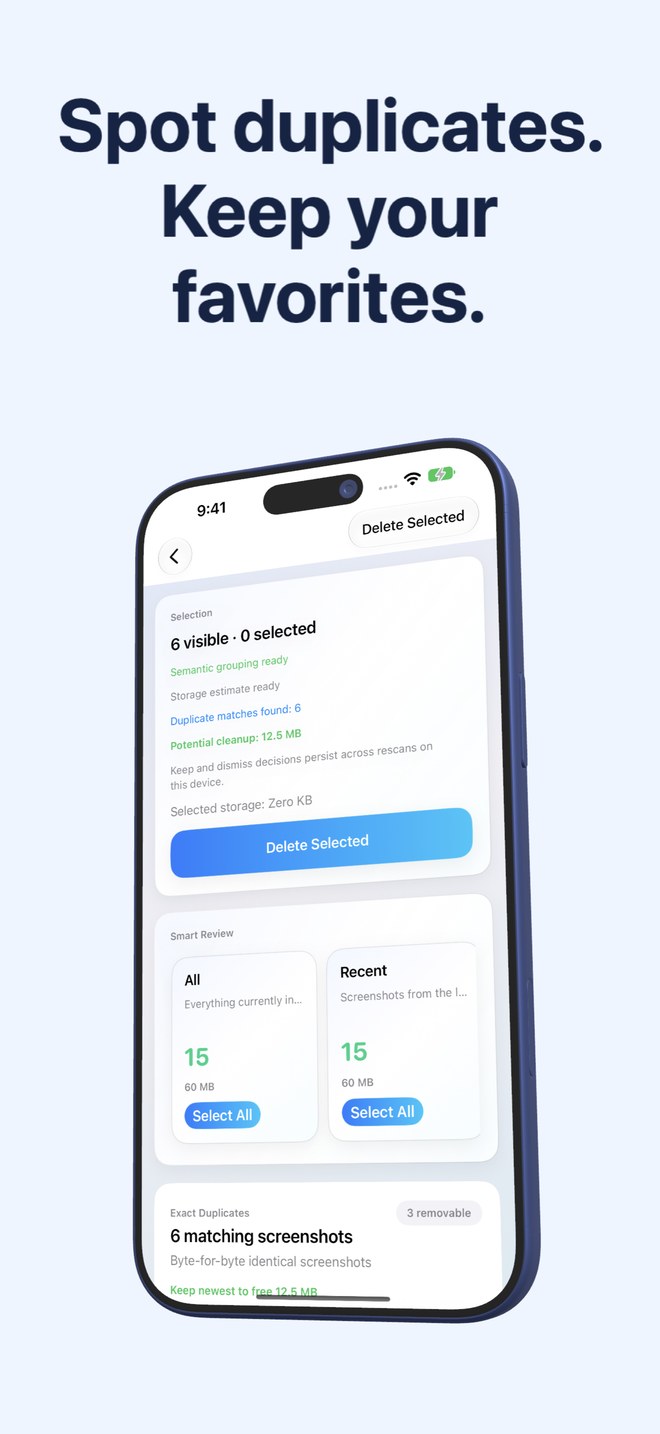
Swiping left and right one card at a time works when picking your favorite portrait from a 30-photo dinner album—and collapses completely when 3,000 screenshots clog your phone. At two seconds per card, swiping 3,000 screenshots consumes 100 solid minutes of thumb work. Fastest Screenshot Cleaner ($2.99 US one-time paid download, iOS 26+) groups screenshots into size, duplicate and on-device Vision stacks on a 3-column grid with Select All so the same cleanup finishes in minutes.
1. Time-and-gesture math from 100 to 5,000 screenshots
Card-swipe cleaners force `O(n)` human effort: 1,000 screenshots require 1,000 individual swipe gestures, 1,000 visual context switches and 1,000 split-second checks that you did not accidentally trash a warranty receipt.
Stack + grid triage reduces effort to `O(categories)`: open the Chats card (say 650 screenshots), tap Select All once, scroll the 3-column thumbnail grid in twenty seconds to untick any message worth saving, and tap Delete Selected once.
| Screenshot backlog | Swipe-left card cleaner (~2s/card) | Fastest Screenshot Cleaner (Stacks + Select All) | Physical gestures required |
|---|---|---|---|
| 100 screenshots | ~3.5 minutes | ~30 seconds | 100 swipes vs ~5 stack taps |
| 500 screenshots | ~17 minutes | ~1–2 minutes | 500 swipes vs ~10–15 taps |
| 1,500 screenshots | ~50 minutes | ~3–4 minutes | 1,500 swipes vs stack review + unticks |
| 3,000 screenshots | ~1 hour 40 minutes | ~5–7 minutes | 3,000 swipes vs category batch passes |
| 5,000 screenshots | ~2 hours 45 minutes | ~8–12 minutes | 5,000 swipes (often blocked by daily free caps) |
2. Why cognitive grouping prevents accidental deletion better than rapid swiping
Mistakes in swipe cleaners happen around minute twelve when thumb muscle memory takes over: you flick left six times in rhythm on memes and accidentally flick left on screenshot #7—your tax ID or return QR code—before your brain registers the change.
Fastest Screenshot Cleaner separates high-risk record stacks from low-risk clutter stacks automatically using Apple’s on-device Vision framework. Invoices and Travel get their own cards, completely separate from Chats, Shopping, Web and Apps, Books and Code—and camera photos never appear at all.
| Safety / Ergonomic factor | 3-Column Vision Stacks (Screenshot Cleaner) | Single-Card Swipe Cleaners |
|---|---|---|
| Context consistency | Every thumbnail in Chats looks & behaves like a chat capture | Alternates unpredictably between memes, receipts, photos & maps |
| Camera-photo exposure | Zero — PhotoKit query loads screenshots only | High — personal camera shots sit mixed inside monthly queues |
| Duplicate resolution | Keep Newest marks extra copies across entire SHA-256 / Visual stack | Must remember you already saw an identical capture 400 swipes ago |
| Heavy-file prioritization | Large stack clears biggest megabyte hogs in the first 30 seconds | Chronological order buries heavy PNGs across every month |
| Final safeguard | System Photos sheet + 30 days in Recently Deleted | Batch trash commit + 30 days in Recently Deleted |
3. When card swiping makes sense vs when grid stacks win
Save single-card swiping for curating artistic photography where subtle focus and smiles matter. Use stack-and-grid batching for screenshots, where category, file weight and text content tell you everything you need at thumbnail scale.
| Media type | Ideal interface | Recommended tool |
|---|---|---|
| Screenshots (chats, web captures, receipts, duplicates, code) | Pre-grouped stacks + 3-column Select All grid | Fastest Screenshot Cleaner ($2.99 once) |
| Portrait & vacation camera bursts | Full-screen comparison / Favorites hearting | Apple Photos built-in viewer ($0) |
| Older on-device photo collections to keep compressed | Stack selection -> HEVC MP4 video archive | Photo2Video Archive ($3.99 once) |
Can I tap individual screenshots in Fastest Screenshot Cleaner instead of using Select All?
Yes. Every stack displays a three-column grid where tapping any thumbnail toggles its selection state, and a running counter shows selected items and estimated storage.
How many stacks does Fastest Screenshot Cleaner create?
It provides structural stacks (Everything, Recent, Portrait, Landscape, Large, Exact Duplicates, Visual Matches) plus up to seven on-device Vision content stacks (Shopping, Invoices, Chats, Books, Code, Web and Apps, Travel) based on what is in your library.
Does deleting 1,000 ticked screenshots take 1,000 confirmation popups?
No. Delete Selected submits your entire ticked selection in one PhotoKit operation with a single system iOS Photos confirmation sheet.
What if I realize tomorrow I needed one screenshot from a deleted stack?
Open Apple Photos > Utilities > Recently Deleted within 30 days and tap Recover on that screenshot.