For iPhone and iPad

Every screenshot you forgot,
gone in one tap.

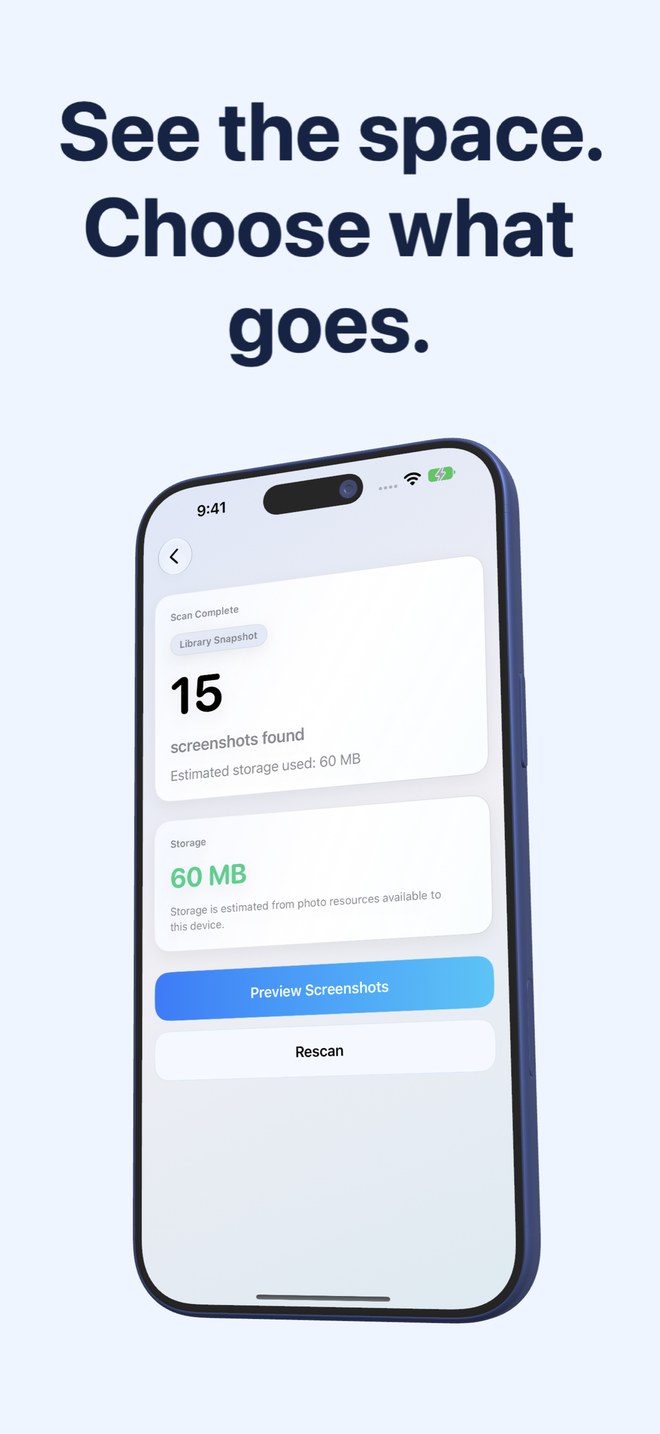
Screenshots pile up: receipts, chats, maps, the same error twice. Fastest Screenshot Cleaner asks Photos for exactly those images, tells you how much space they take, sorts them into stacks you can judge at a glance, and deletes the ones you tick in a single pass. Nothing leaves your phone.

Free. Supported by ads. · iOS 26 · iPadOS 26

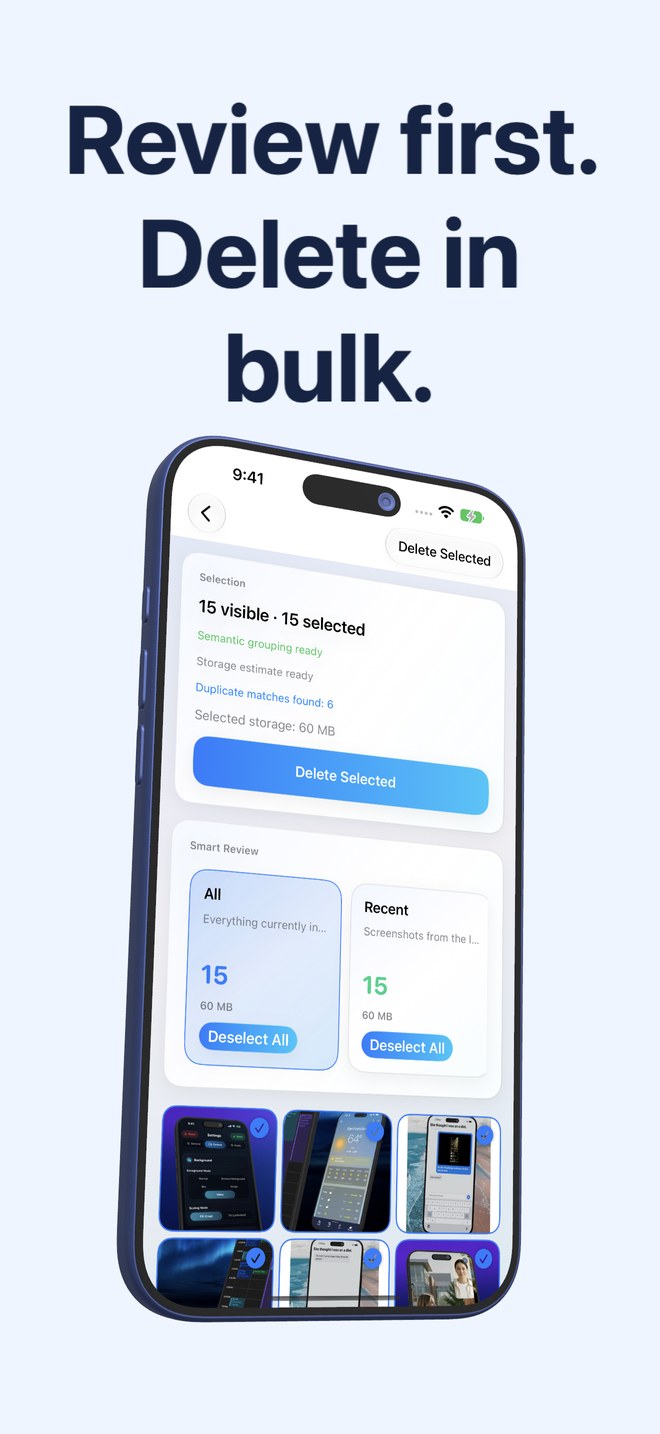
Fastest Screenshot Cleaner on iPhone: the review screen with two screenshots selected, stacks for All and Recent, and the Delete Selected button.
  • Finds screenshots through PhotoKit, not guesswork
  • Adds up the storage they use
  • Stacks: recent, portrait, landscape, large, duplicates
  • Content groups from on-device text recognition
  • Bulk delete through the Photos sheet, recoverable for 30 days

What it does

Three screens between a full library and a clean one.

Scan, look at the total, review the stacks, delete. The app is built to be finished in a minute and forgotten until the next pile.

A scan that asks Photos, not the pixels

A scan that asks Photos, not the pixels

iOS marks every screenshot the moment it is taken. The app asks the Photos library for exactly that mark, so the scan returns your screenshots and nothing else: no photos mistaken for screenshots, no screenshots missed because they look like photos. Works with full or limited Photos access; with limited access it sees only what you shared.

  • PhotoKit screenshot subtype, not image analysis
  • Full or limited Photos access
  • Sorted newest first
The number that makes you act

The number that makes you act

After the scan the app reads the size of every screenshot and adds them up. Two screenshots are a rounding error; four hundred are a gigabyte. The storage card shows the total, and every stack afterwards shows what deleting it would free.

  • Per-screenshot size read from the photo resources
  • Total on the result screen, per-stack totals in review
  • Estimated from what is on the device
Stacks you can judge at a glance

Stacks you can judge at a glance

The review screen sorts screenshots into cards: everything, the last two weeks, portrait, landscape, large files worth checking first. Below them, content groups appear as the app reads the text on each screenshot on the device: shopping, invoices, chats, books, code, web and apps, travel. Tap a card to see only that stack; tap Select All to take the whole stack.

  • Recent, Portrait, Landscape, Large
  • Content groups from Vision text recognition plus keyword rules
  • Select or deselect a whole stack in one tap
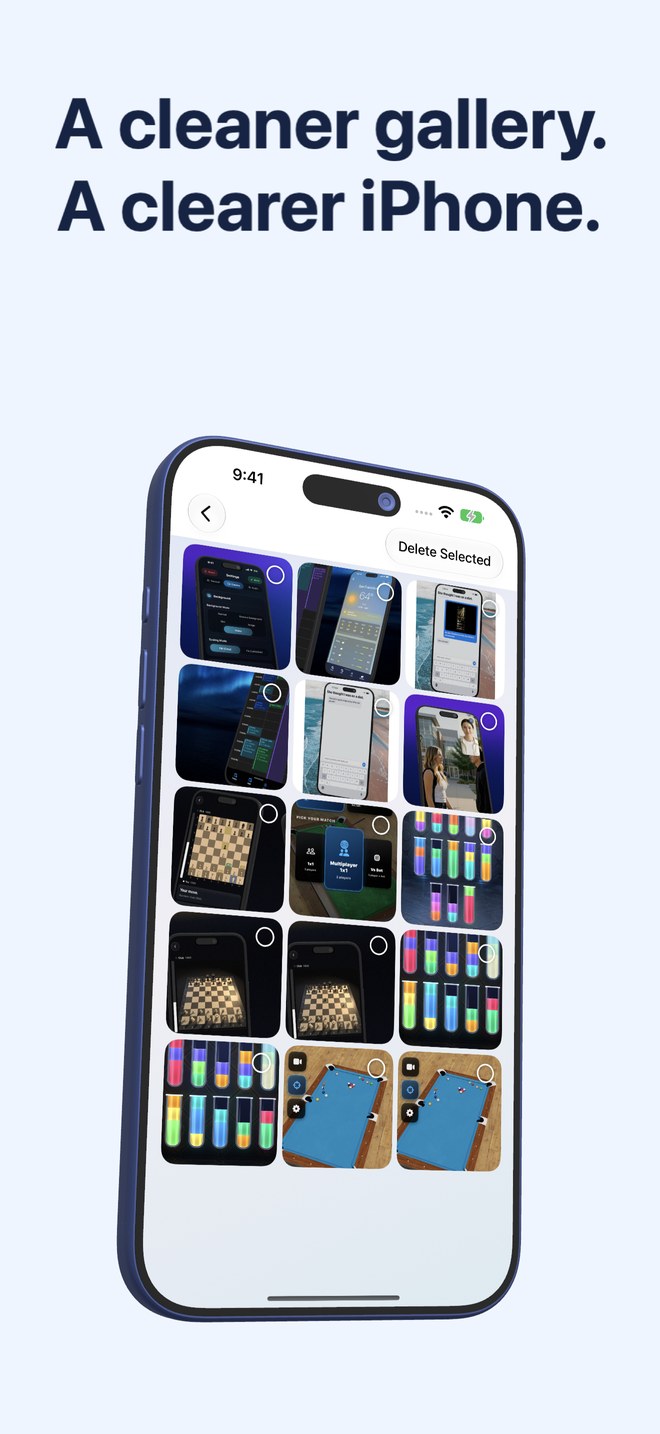
  • Three-column grid, tap to toggle
Duplicates, exact and re-saved

Duplicates, exact and re-saved

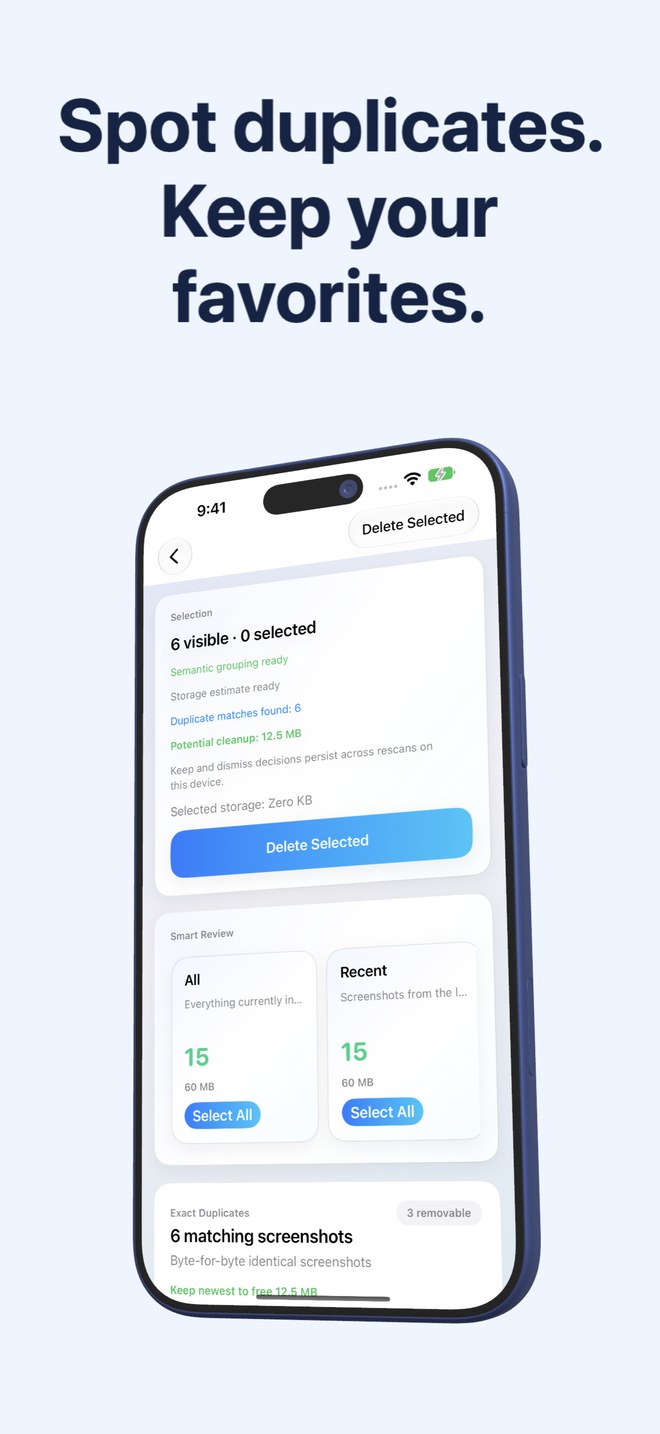
Two kinds of copies get their own stacks. Exact duplicates are byte-for-byte identical files, found by hashing. Visual matches are the same screenshot saved or re-encoded again, found by a compact image fingerprint and the text on it. Each group shows how much keeping only the newest would free, and one button does exactly that.

  • Exact duplicates: SHA-256 of the file
  • Visual matches: image fingerprint plus recognised text
  • Keep Newest marks the rest for deletion
Bulk delete, the safe way

Bulk delete, the safe way

Delete Selected removes every ticked screenshot in one Photos operation. iOS shows its own confirmation, and what you delete goes to Recently Deleted, where it stays for thirty days. Nothing is removed automatically, and the app never deletes anything you did not tick.

  • One operation for the whole selection
  • System confirmation from Photos
  • Recoverable from Recently Deleted for 30 days
A widget that knows before you look

A widget that knows before you look

The home-screen widget shows how many screenshots are waiting and how much they weigh, refreshed after every scan and in the background about once a day. Its Scan button opens the app and starts the scan straight away.

  • Count and size on the home screen
  • Background refresh, never background deletion
  • One tap from widget to running scan

Who it is for

For anyone whose camera roll is half screenshots.

The receipt keeper
Order confirmations, boarding passes, parking tickets. Useful for a week, dead weight for a year. The Invoices and Travel stacks find them.
The group-chat archivist
Screenshots of conversations you meant to reply to. The Chats stack, newest first, and a Select All.
The 128 GB phone
When "Storage Almost Full" appears, screenshots are the first thing to go and the last thing anyone sorts by hand.
Not for
Cleaning photos, videos or Live Photos. The app only ever sees screenshots, on purpose.

What it costs

Nothing. It runs on ads.

The app is free and has no in-app purchases or subscriptions. It shows a full-screen ad when it opens, and plays a short rewarded video before each delete; if you skip the video, nothing is deleted. That is the whole business model.

Free

$0 no account

  • Unlimited scans
  • Storage totals
  • All stacks and content groups
  • Duplicate detection
  • Bulk delete
  • Home-screen widget

Ads on open and before each delete.

There is no paid tier. Every feature is in the free app; the ads are the price.

Price →

Questions

Asked often enough to write down.

Can I get a deleted screenshot back?

Yes, for thirty days. Deletion goes through the system Photos sheet, so everything lands in the Recently Deleted album, where you can restore it. After thirty days iOS removes it for good.

Does it delete anything on its own?

No. It only deletes what you tick, only when you press Delete Selected, and only after you confirm in the Photos sheet. The background refresh updates the widget numbers and never touches a file.

Does it upload my screenshots?

No. Detection, storage sums, text recognition, grouping and duplicate matching all run on the device. The only component that uses the network is the ad SDK, which shows the ads.

What does it do with the text on my screenshots?

It reads it on the device with Apple's Vision framework to sort screenshots into groups like Chats or Invoices and to tell re-saved copies apart. The text is not stored and not sent anywhere.

Why does it need write access to Photos?

To delete. Read access finds the screenshots and sizes; write access lets the delete request reach Photos. You can grant limited access and the app will work on the screenshots you shared.

Does it work with iCloud Photos?

Yes. Reading the size of a screenshot that is only in iCloud can make Photos download it, which is why the storage card says the estimate is from what is available on the device.

Is there a paid version without ads?

Not at the moment. The app is free, and the ads are how it is paid for.

Your screenshots, sorted by lunch.

Free on the App Store. Scan, look at the number, tick the stacks, delete. Recently Deleted keeps a copy for thirty days in case.

Download on theApp Store