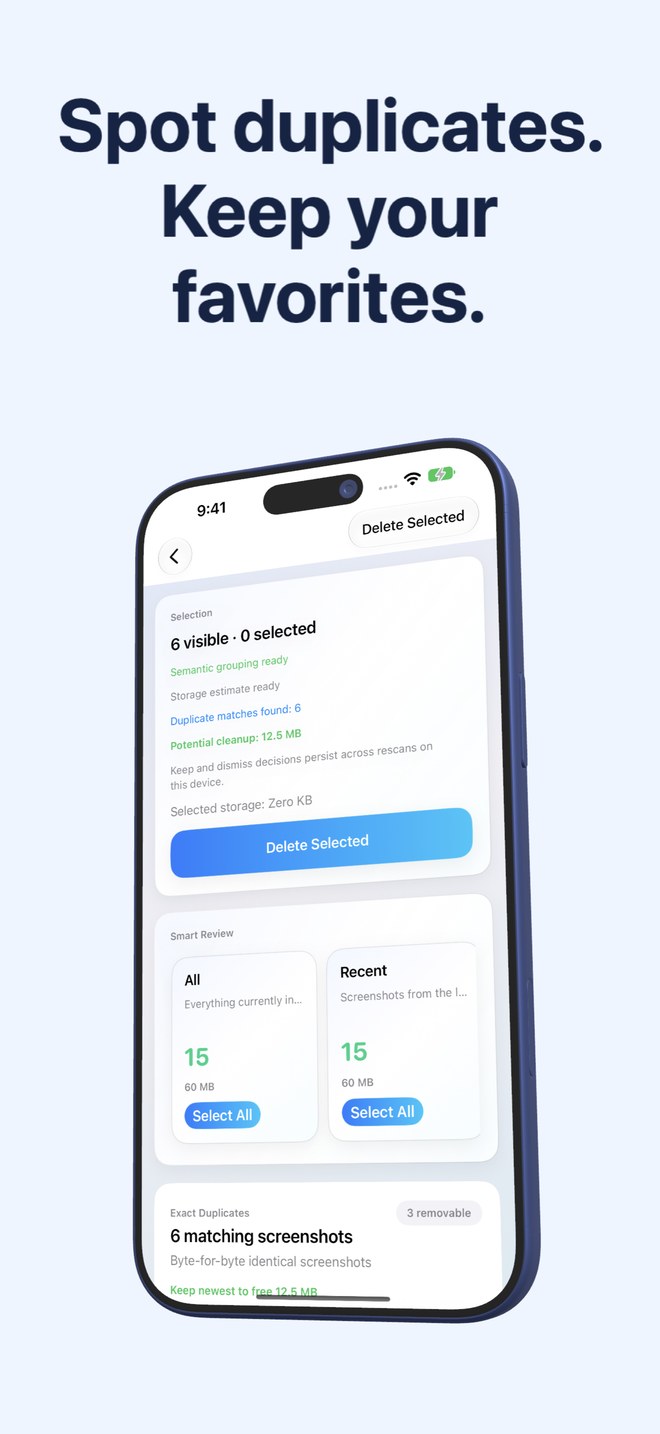
Fastest Screenshot Cleaner vs Picnic Photo Swiper: batch stack deletion vs Tinder-style card swiping
Picnic Photo Swiper turns camera-roll cleanup into a playful Tinder-style deck—swipe left to trash, swipe right to keep—often paired with daily swipe quotas unless you pay to unlock unlimited swiping. That casual pace works for reliving weekend photos, but swiping 2,000 old screenshots card by card wastes hours. Fastest Screenshot Cleaner ($2.99 US one-time paid download, iOS 26+) pre-sorts screenshots into size, duplicate and Vision text stacks so you can delete whole batches in seconds.
1. Batch grid triage vs one-card-at-a-time swiping
Tinder-style swipers like Picnic show a single image filling the screen so you can judge facial expressions or framing. Screenshots rarely need close-up artistic inspection: a glance at a three-column grid inside a Chats or Shopping stack immediately confirms that 120 old conversation captures can go at once.
Fastest Screenshot Cleaner groups screenshots into Everything, Recent, Portrait, Landscape, Large, Exact Duplicates, Visual Matches, and seven on-device Vision text groups (Shopping, Invoices, Chats, Books, Code, Web and Apps, Travel). Tap Select All inside a disposable stack, untick anything worth keeping, and run Delete Selected in a single PhotoKit operation.
| Interaction detail | Fastest Screenshot Cleaner | Picnic Photo Swiper |
|---|---|---|
| Review layout | Stack summary cards -> 3-column multi-select thumbnail grid | Single full-screen photo card with left/right swipe |
| Removing 300 old chat screenshots | Open Chats stack -> Select All -> Delete Selected (seconds) | 300 separate swipe-left gestures |
| Daily free-swipe ceilings | None — unlimited scans and deletions from day one | Free versions commonly enforce daily swipe limits or Pro prompts |
| Duplicate screenshot handling | Dedicated SHA-256 & Visual Match stacks with Keep Newest | Manual recognition while swiping chronological/random decks |
| Camera-roll isolation | Reads screenshots only via PhotoKit subtype | Mixes camera photos, videos & screenshots across albums/months |
2. Storage visibility, Vision text stacks and Home Screen widget
Picnic tracks how many megabytes your current swipe session has queued for trash, which rewards you after you finish swiping. Fastest Screenshot Cleaner flips that order: it measures accessible screenshot resource sizes up front so you can inspect the Large stack or heaviest content stacks before spending a minute reviewing low-impact files.
Between cleanups, Fastest Screenshot Cleaner’s Home Screen widget displays your waiting screenshot count and estimated storage weight, updating roughly once a day in the background without ever deleting anything automatically.
| Feature | Fastest Screenshot Cleaner | Picnic Photo Swiper |
|---|---|---|
| Upfront storage breakdown | Total screenshot estimate + per-stack & selected byte totals | Session counter increases only as you swipe individual cards |
| On-device OCR topic stacks | Yes — Apple Vision groups Invoices, Chats, Travel, Code, Shopping… | No screenshot OCR topic stacks |
| Home Screen widget | Waiting screenshot count, size & one-tap Scan button | Focused on memory/on-this-day style swipe reminders |
| Supported platforms | iPhone & iPad (iOS 26 / iPadOS 26+) | iPhone & iPad |
| Deletion safety | System Photos sheet -> 30 days in Recently Deleted | Trash queue committed via PhotoKit -> 30 days in Recently Deleted |
3. Pricing & choosing the right workflow
Keep a card swiper if you genuinely enjoy reviewing ten "On This Day" camera-roll memories over morning coffee. Buy Fastest Screenshot Cleaner ($2.99 US once, no subscription) when you want screenshot clutter out of your iPhone and iPad library without turning cleanup into a daily mobile game.
| Use case | Best fit | Why |
|---|---|---|
| Nostalgic daily browsing of personal camera photographs | Picnic Photo Swiper | Full-screen card deck highlights faces and moments |
| Wiping hundreds of screenshots, duplicates & heavy PNGs fast | Fastest Screenshot Cleaner | Stacks + Select All + Large view finish the job in under a minute |
| Separating tax/order Invoices from disposable Web & Chat captures | Fastest Screenshot Cleaner | On-device Vision text recognition sorts them automatically |
| Simple one-time $2.99 purchase with zero upsells | Fastest Screenshot Cleaner | Paid download upfront; no daily swipe limits or subscriptions |
Why is a 3-column grid faster than card swiping for screenshots?
Screenshots have distinct visual silhouettes—chat bubbles, dark code editors, web articles, receipts—so scanning nine to twelve thumbnails at once inside a Vision topic stack lets you verify and bulk-delete whole groups in seconds.
Does Fastest Screenshot Cleaner ever touch regular photos from my camera?
No. It requests only assets marked with the PhotoKit screenshot subtype, keeping personal photographs and videos completely out of the review grid.
Are there any in-app purchases or swipe limits in Fastest Screenshot Cleaner?
None. The $2.99 US App Store download unlocks every stack, duplicate group, bulk action and widget permanently.
Can I undo a bulk deletion if I change my mind?
Yes. Approved deletions go to Apple Photos > Recently Deleted for 30 days, where any screenshot can be restored.