Fastest Screenshot Cleaner vs Hyper Cleaner & AI Clean Apps: on-device Apple Vision vs vague "AI cleaner" upsells
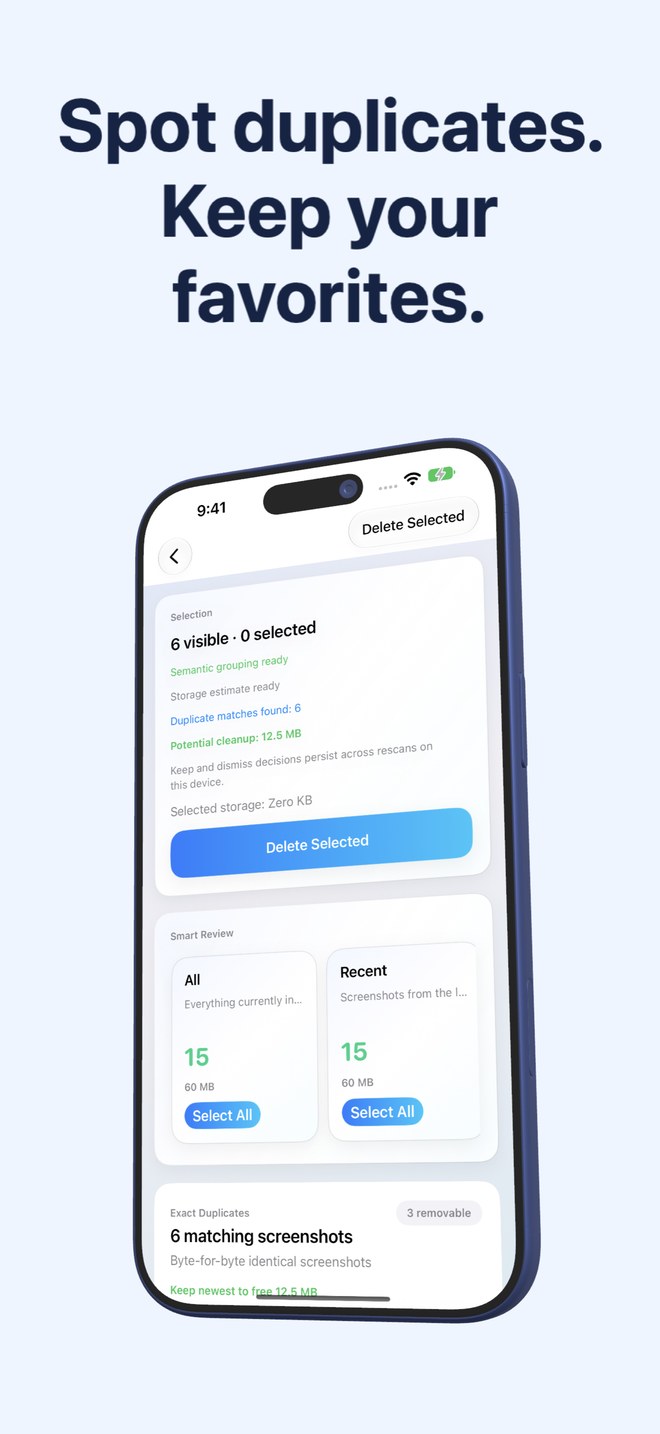
Dozens of App Store listings branded "Hyper Cleaner", "AI Cleaner" or "AI Storage Clean" wrap basic photo similarity checks in vague artificial-intelligence buzzwords and weekly subscription paywalls. Fastest Screenshot Cleaner ($2.99 US one-time paid download, iOS 26+) documents its exact on-device mechanics—PhotoKit screenshot filtering, SHA-256 file hashing, compact visual fingerprints and Apple’s local Vision text framework—with zero cloud photo uploads and zero subscriptions.
1. Verifiable on-device mechanics vs black-box "AI Clean" claims
Screenshots hold your most sensitive everyday text: banking confirmations, authenticator backup codes, private messages, medical portals and work Slack threads. Handing Full Photos access to an opaque "AI Cleaner" without knowing whether image analysis runs locally or in the cloud—or whether "One-Tap Smart Clean" auto-checks important records—creates unnecessary risk.
Fastest Screenshot Cleaner explains every step plainly. PhotoKit identifies screenshot-marked images; SHA-256 hashes find byte-identical clones; Apple’s on-device Vision framework reads text locally to group Shopping, Invoices, Chats, Books, Code, Web and Apps, and Travel; and nothing is ever ticked for automatic background deletion.
| Security / Technical check | Fastest Screenshot Cleaner | "Hyper / AI Clean" Subscription Apps |
|---|---|---|
| How screenshots are found | Explicit PhotoKit screenshot media subtype query | Broad full-library media sweep |
| How text & topics are detected | Apple Vision framework running 100% on your iPhone or iPad | Often marketed simply as "AI Smart Clean"; check privacy labels carefully |
| Photo or OCR text uploaded to servers | Never — photos and recognised text stay on your device | Varies by publisher; verify third-party cloud & ad SDK disclosures |
| User control over selection | You inspect stacks, tick items (or Select All per stack) & confirm in Photos | "Smart Clean" buttons often pre-select mixed photos & screenshots together |
| Account / profile collection | No user account, no email, no personal data collected by the app | Varies; often tied to trial tracking & analytics |
2. Legacy ad transition honesty and $2.99 upfront pricing
Many "AI Cleaner" apps combine aggressive 3-day trial paywalls ($6.99–$9.99/week) with heavy ad networks on their restricted free screens. Fastest Screenshot Cleaner uses a straightforward $2.99 US one-time paid download with no subscription and no in-app purchase tiers.
In keeping with Arte Soft EOOD’s transparent documentation: photo and Vision text processing always happen locally on your device, and while earlier builds (including live version 1.1.3 during transition) could still invoke Google AdMob network requests, version 1.1.4 and later remove advertising completely.
| Dimension | Fastest Screenshot Cleaner | Hyper Cleaner / AI Clean Apps |
|---|---|---|
| App Store purchase model | $2.99 US one-time paid download (regional price shown upfront) | Free download gated by weekly/monthly/annual AI Pro subscriptions |
| Hidden deletion caps | None — unlimited scans, stacks & bulk deletions included | Commonly restricts free users to a handful of deletions per day |
| Supported devices | iPhone & iPad on iOS 26 / iPadOS 26+ | Primarily iPhone portrait layouts with upsell modals |
| Home Screen widget | Shows waiting screenshot count, size & Scan launcher | Often gated or used for re-engagement prompts |
| Deletion recovery | 30 days in iOS Recently Deleted via system Photos sheet | 30 days in iOS Recently Deleted when using standard PhotoKit |
3. Choosing between broad AI cleaners and a dedicated screenshot tool
If you want generative AI photo editing, object removal or camera-roll portrait scoring, look at Apple Photos’ built-in Clean Up tool on supported devices rather than a weekly cleaner app. If you want gigabytes of accumulated screenshots sorted into human-readable stacks you can judge in seconds, Fastest Screenshot Cleaner is the cleaner, safer $2.99 choice.
| What you need | Best option | Why |
|---|---|---|
| Safe bulk removal of chats, web captures & duplicate screenshots | Fastest Screenshot Cleaner | On-device Vision stacks + PhotoKit confirmation keep sensitive records safe |
| Keeping banking/tax screenshots completely off cloud AI servers | Fastest Screenshot Cleaner | Zero photo or Vision text uploads; supports Limited Photos access |
| Avoiding $7.99–$9.99/week "AI Cleaner" recurring charges | Fastest Screenshot Cleaner | Pay $2.99 once on the App Store with no subscription |
| Removing background distractions inside a single photograph | Apple Photos built-in Clean Up ($0) | Native iOS editing tool—no cleaner subscription needed |
Does Fastest Screenshot Cleaner send my screenshots to cloud AI models like OpenAI or Google?
No. Fastest Screenshot Cleaner uses Apple’s built-in on-device Vision framework and SHA-256 local file hashing. Neither your screenshots nor recognised text leave your device.
Why shouldn’t I tap a generic "One-Tap AI Clean" button on my whole library?
Pre-ticked whole-library cleanups combine camera photos, videos and screenshots into one batch, making it easy to overlook a receipt, QR ticket or sentimental photo before confirming deletion.
Does Fastest Screenshot Cleaner work offline?
Yes, for screenshots stored locally on your device. If some screenshots live only in iCloud Photos because Optimize Storage is enabled, Apple Photos may need network access to fetch their full data from Apple.
Who publishes Fastest Screenshot Cleaner and how do I reach support?
Fastest Screenshot Cleaner is published by Arte Soft EOOD. Direct human support in English and Bulgarian is available at office@arte-soft.com.