Fastest Screenshot Cleaner vs Boost Cleaner / Smart Cleaner: focused $2.99 PhotoKit app vs weekly bundle cleaners
App Store "Boost Cleaner" and "Smart Cleaner" bundles market themselves like PC tune-up utilities—combining photo scanning with contact mergers, calendar cleaners, ad blockers, speed tests and weekly auto-renewing subscriptions. On iOS, third-party apps cannot clear system RAM or other apps’ sandboxes anyway. Fastest Screenshot Cleaner ($2.99 US one-time paid download, iOS 26+) skips tune-up gimmicks and recurring fees to clean screenshots cleanly via PhotoKit.
1. Honest iOS capabilities vs "phone booster" marketing
Apple sandboxes every app on iOS and iPadOS: no App Store utility can empty another app’s cache, "boost CPU RAM" sustainably, or magically create fixed percentages of free space. Bundle cleaners like Boost Cleaner pad their dashboards with contact list tools, speed gauges and browser blockers to justify recurring weekly subscriptions.
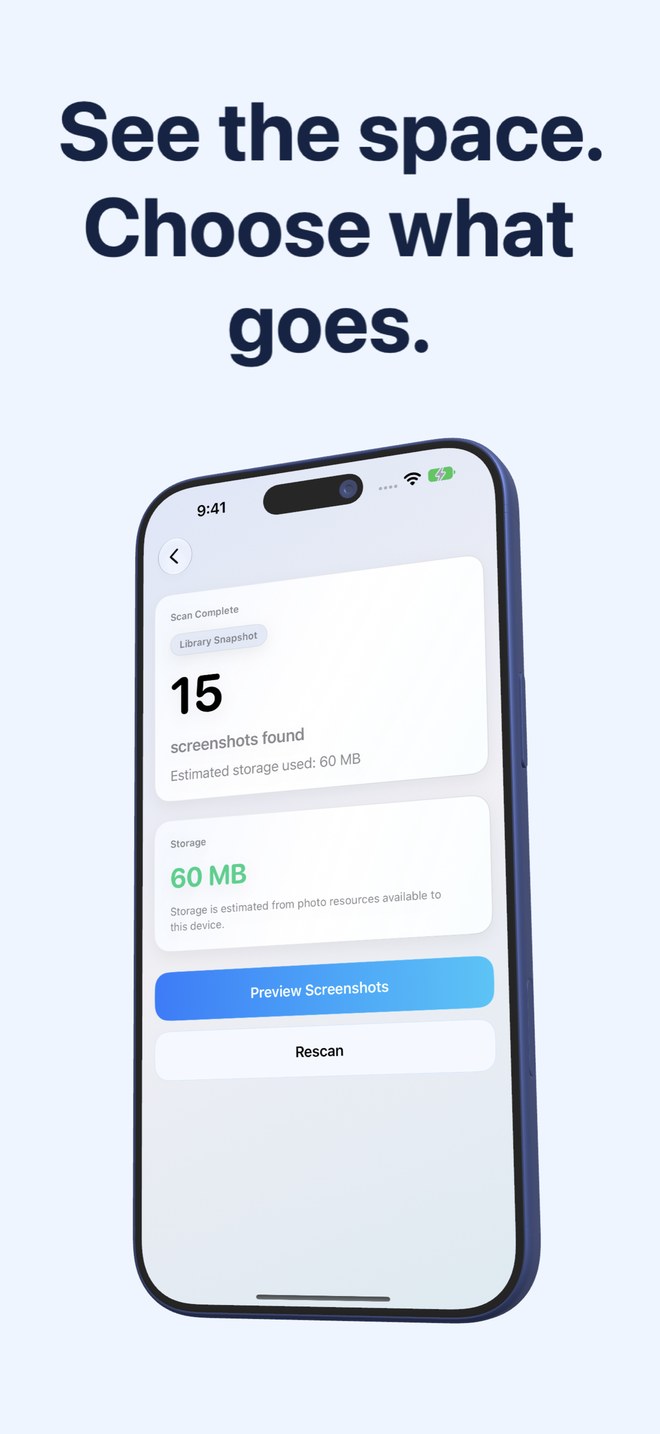
Fastest Screenshot Cleaner states plainly what it measures and what it cannot promise: it asks PhotoKit for screenshots, sums the accessible file sizes on your device, sorts them into Large, Duplicate and Vision text stacks, and deletes only the screenshots you tick through the system Photos sheet.
| Feature / Claim | Fastest Screenshot Cleaner | Boost Cleaner / Smart Cleaner Bundles |
|---|---|---|
| Core purpose | Find, measure, group & bulk-delete screenshots on iPhone & iPad | Multi-tab phone cleaner: photos, contacts, calendar, ad-block, vaults |
| Storage reporting honesty | Shows measured screenshot resource bytes; never promises fixed % gains | Often displays dramatic "junk/boost" meters before trial signup |
| Permissions requested | Photos only (Full or Limited access supported) | Photos + Contacts + Calendars (and VPN/Content Blocker in some bundles) |
| Screenshot text categorization | On-device Vision stacks: Shopping, Invoices, Chats, Books, Code, Web, Travel | Generic screenshot count without topic-level OCR stacks |
| Duplicate screenshot detection | SHA-256 Exact Duplicates + Fingerprint/Text Visual Matches | Broad camera-roll similarity buckets |
2. Cost math & subscription friction
Weekly bundle cleaners routinely charge $4.99 to $9.99 per week after a 3-day trial, banking on passive renewals long after your five-minute cleanup ends. Even their annual plans often cost 10x to 15x more than a dedicated paid utility.
Fastest Screenshot Cleaner is a single $2.99 US paid download handled by Apple. There is no account creation, no subscription screen to dismiss on launch, and no recurring charge.
| Aspect | Fastest Screenshot Cleaner | Boost / Smart Cleaner Subscriptions |
|---|---|---|
| Price model | $2.99 US one-time paid download (regional prices shown by Apple) | Free download with recurring weekly or annual Pro subscription |
| Onboarding paywall screens | None — opens straight into the three-screen scan & review workflow | Multi-step trial & auto-renewal prompts on first launch |
| 1-year total cost | $2.99 | ~$40–$50/yr on annual plans, or $250+/yr on weekly billing |
| Background behavior | Refreshes widget count/size ~once daily; never deletes files | Frequent push notifications urging you to "boost" or clean again |
| Customer support | Direct developer email (office@arte-soft.com), no bot | Standard tier-gated support |
3. How to clean every part of an iPhone without weekly subscriptions
You never need a weekly bundle subscription on iOS. Pair free built-in Apple settings for app caches, large videos and duplicate contacts with Fastest Screenshot Cleaner ($2.99 once) for the thousands of screenshots cluttering your library.
| What you want to clean | Best tool | Cost |
|---|---|---|
| Thousands of screenshots, receipts, chats & duplicate captures | Fastest Screenshot Cleaner | $2.99 one-time download |
| Bloated social media caches (TikTok, Instagram, Telegram) | iOS Settings > iPhone Storage (or in-app Clear Cache) | $0 built into iOS / apps |
| Duplicate contacts | Apple Contacts app > View Duplicates | $0 built into iOS |
| Safari website data & history | iOS Settings > Apps > Safari > Clear History and Website Data | $0 built into iOS |
Can any App Store cleaner clear system cache or boost iPhone RAM?
No. iOS sandboxing prevents App Store apps from deleting other apps’ caches or managing system memory. Legitimate storage relief from third-party utilities comes from helping you review and delete your own Photos media cleanly.
Why does Fastest Screenshot Cleaner only ask for Photos permission?
Because screenshots live in Photos. It has no contact, calendar or browser modules and collects no personal information of its own.
Can I grant Limited Photos access instead of Full Access?
Yes. Fastest Screenshot Cleaner works with Limited Photos access and scans only the screenshots you choose to share.
Are deleted screenshots gone forever right away?
No. Approved deletions move through the iOS Photos confirmation sheet into Recently Deleted, where you can restore them for up to 30 days.