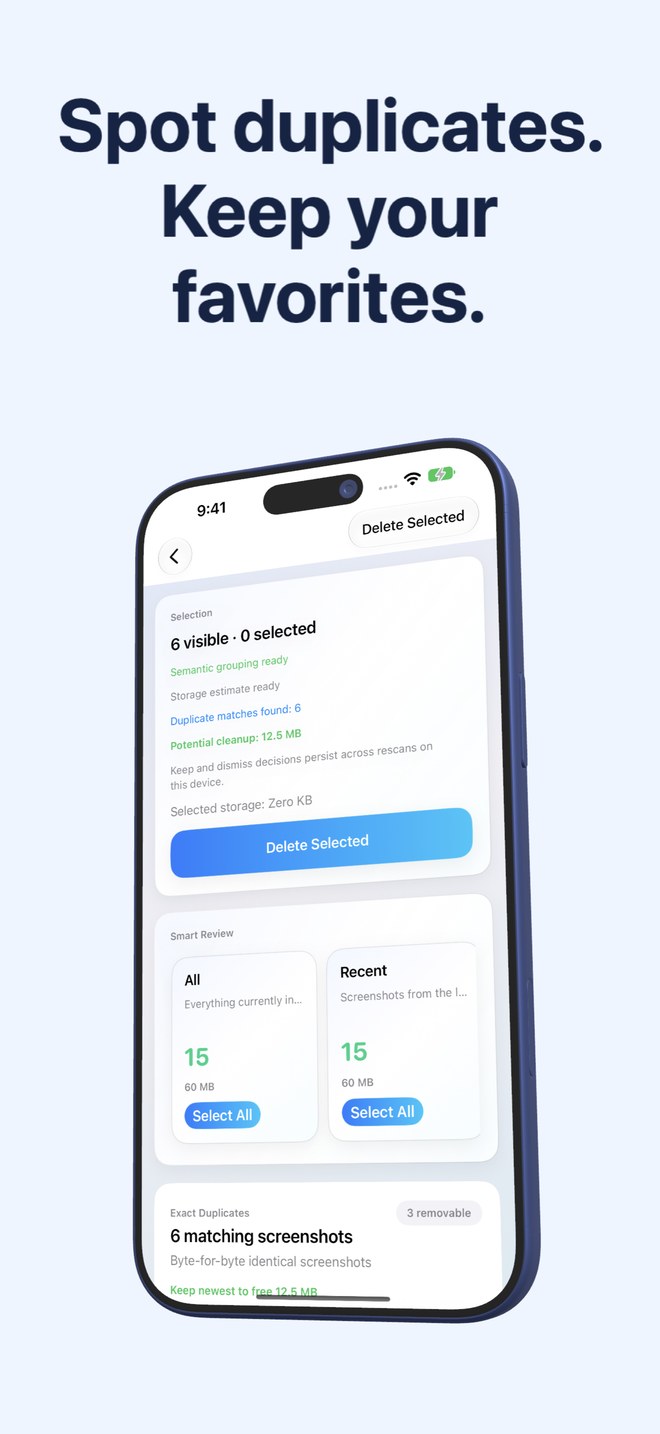
Fastest Screenshot Cleaner vs Apple Photos Duplicates Utility: SHA-256 + Vision matches & non-duplicate stacks
Apple’s built-in Utilities > Duplicates album in Photos is a great free feature for merging duplicate camera photos while preserving combined metadata. For screenshot cleanup, however, it has three practical limits: iOS indexes duplicates slowly in the background while charging, it mixes real photos with screenshots, and it leaves thousands of single, non-duplicate screenshots completely untouched. Fastest Screenshot Cleaner ($2.99 US paid download, iOS 26+) scans screenshots on demand and handles both duplicates and unique stacks.
1. On-demand scan vs waiting for iOS background charging indexing
Anyone who has opened Apple Photos > Utilities only to find the Duplicates row missing—or missing obvious copies taken earlier today—has hit Apple’s background indexing schedule. iOS populates Utilities > Duplicates opportunistically when the iPhone is locked and connected to power.
Fastest Screenshot Cleaner scans your accessible PhotoKit screenshots immediately when you tap Scan. Right away, it splits copies into two clear stacks: Exact Duplicates (byte-for-byte SHA-256 file hashes) and Visual Matches (re-saved or re-encoded copies matched via compact image fingerprint plus recognised Apple Vision text).
| Capability | Fastest Screenshot Cleaner | Apple Photos Duplicates Utility |
|---|---|---|
| When scanning runs | Immediately on tap inside the app | Background iOS indexing (typically while locked & on power) |
| Media scope | Screenshots only (PhotoKit screenshot subtype) | Entire Photos library (camera photos, videos & screenshots mixed) |
| Exact vs visual copy separation | Two distinct stacks: SHA-256 Exact Duplicates & Fingerprint+Text Visual Matches | Single combined list with Merge action |
| Batch selection control | Keep Newest marks older copies per group -> review -> Delete Selected | Merge individual pairs or Select -> Merge across mixed media |
| Storage freed estimate per group | Shows how much keeping only the newest copy would free | Shows item sizes only on inspection |
2. Beyond duplicates: cleaning the 90% of screenshots that are unique
Even after you merge every single pair in Apple’s Duplicates utility, you still have hundreds or thousands of unique screenshots—old chats, shopping carts, flight gates, code snippets and web pages—taking up gigabytes.
Fastest Screenshot Cleaner pairs duplicate cleanup with full screenshot triage: Everything, Recent, Portrait, Landscape, Large, and seven on-device Vision text groups (Shopping, Invoices, Chats, Books, Code, Web and Apps, Travel), plus a Home Screen widget.
| Feature | Fastest Screenshot Cleaner | Apple Photos Duplicates Utility |
|---|---|---|
| Cleans single non-duplicate screenshots | Yes — Large, Recent, Orientation & 7 Vision text stacks | No — ignores every non-duplicated screenshot |
| On-device OCR topic sorting | Shopping, Invoices, Chats, Books, Code, Web & Apps, Travel | Not included |
| Limited Photos access support | Yes — works on selected screenshots only | System utility operates on full library |
| Deletion safety | System Photos sheet -> 30 days in Recently Deleted | Merge retains one combined copy & sends extras to Recently Deleted |
| Price | $2.99 US one-time paid App Store download | $0 built into iOS |
3. Using both tools together for best results
Use Apple’s free Utilities > Duplicates view periodically to merge duplicate camera-roll portraits and family photos where preserving Favorites, captions and EXIF albums matters. Use Fastest Screenshot Cleaner whenever you want immediate on-demand screenshot duplicate detection plus fast bulk removal of heavy and obsolete screenshot stacks.
| Goal | Open this | Why |
|---|---|---|
| Merging duplicate family photos while keeping albums & captions | Apple Photos > Utilities > Duplicates ($0) | Native Merge consolidates photo metadata cleanly |
| Finding duplicate screenshots right now without waiting for overnight indexing | Fastest Screenshot Cleaner ($2.99) | Runs SHA-256 & Vision visual-match scan on demand |
| Deleting hundreds of unique old chat, web & large screenshots | Fastest Screenshot Cleaner ($2.99) | Duplicates Utility never touches non-duplicate screenshots |
Why doesn’t the Duplicates row show up in Apple Photos right now?
Apple Photos hides Utilities > Duplicates when no duplicates have been indexed yet or while iOS is still completing background library analysis on power.
Are Visual Matches in Fastest Screenshot Cleaner safe to merge blindly?
Treat Visual Matches as a prompt to inspect the group first: one copy might have a helpful crop, red-pen markup or higher resolution. Keep Newest helps tick older copies quickly, and you always review before confirming deletion.
Does Fastest Screenshot Cleaner modify or re-encode the screenshot I keep?
No. Unlike photo merging or compression tools, Fastest Screenshot Cleaner leaves your retained screenshot completely untouched and simply deletes the ticked copies via PhotoKit.
Does duplicate matching happen offline on my device?
Yes. SHA-256 hashing, compact image fingerprinting and Apple Vision text recognition all run locally on your iPhone or iPad.