Fastest Screenshot Cleaner vs Apple Photos Screenshots Album: storage totals, stacks and duplicate groups
Apple’s built-in Media Types > Screenshots album in Photos costs nothing, requires no extra app, and works well when you only have a few dozen recent screen captures to clear by hand. Fastest Screenshot Cleaner ($2.99 US one-time paid download for iPhone and iPad on iOS 26+) is built for libraries holding hundreds or thousands of screenshots—adding total and per-stack storage readouts, a Large stack, on-device Vision content groups, SHA-256 plus visual-match duplicate stacks, and a Home Screen widget.
1. Chronological grid vs storage-aware stacks and Vision content groups
In Apple Photos, opening Media Types > Screenshots presents one chronological grid. You can drag-select rows and delete them, yet Photos does not add up the combined megabytes of your screenshot backlog, isolate the heaviest PNG captures in one card, or separate disposable chat captures from tax invoices.
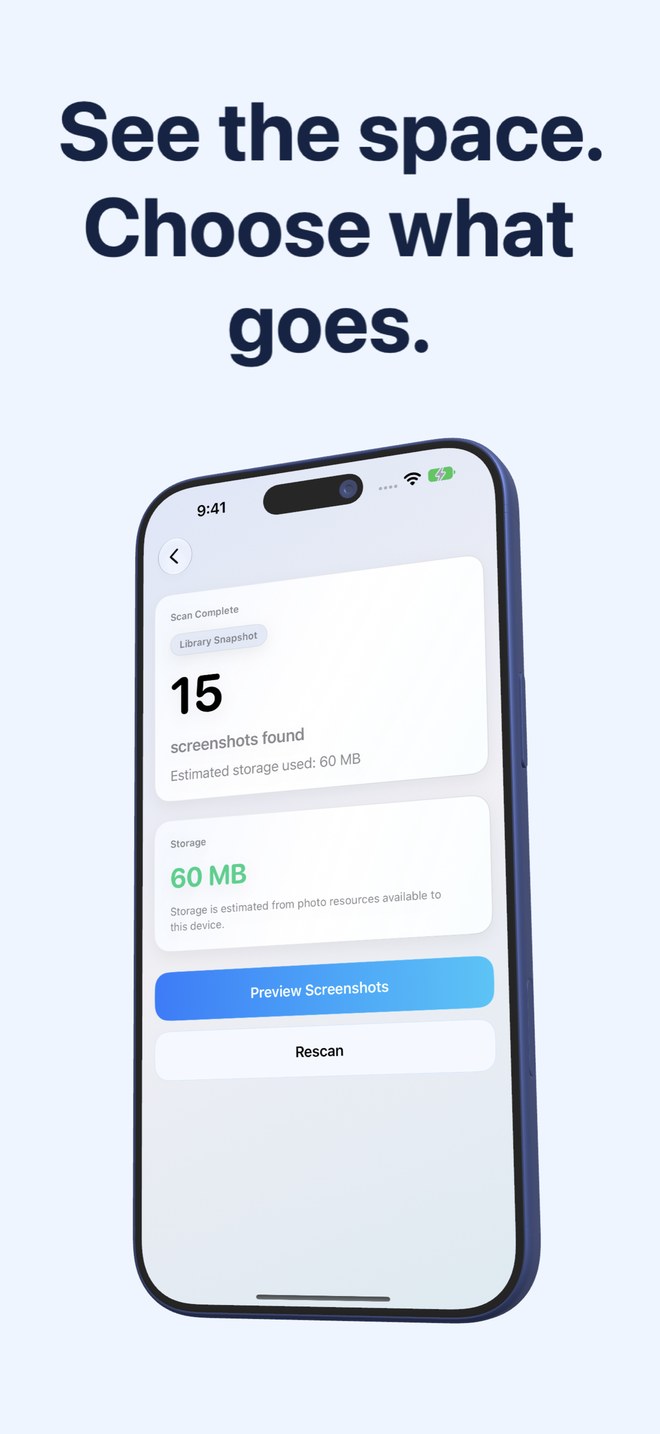
Fastest Screenshot Cleaner queries PhotoKit specifically for assets marked with the iOS screenshot subtype, calculates accessible byte sizes from local photo resources, and arranges them into immediate cards: Everything, Recent (last two weeks), Portrait, Landscape, Large and Duplicates—followed by on-device Apple Vision text groups for Shopping, Invoices, Chats, Books, Code, Web and Apps, and Travel.
| Capability | Fastest Screenshot Cleaner | Apple Photos Screenshots Album |
|---|---|---|
| How screenshots are identified | PhotoKit screenshot media subtype (ignores camera photos & videos) | Native iOS Media Types > Screenshots smart album |
| Combined screenshot storage readout | Shows total estimate on scan results + per-stack & selected byte totals | Shows item count only; individual file size requires opening Info one by one |
| Large-file priority view | Dedicated Large stack surfaces heavy screenshots first | No sort-by-file-size option inside the Screenshots album |
| Topic grouping by text content | On-device Vision OCR + keyword stacks (Chats, Invoices, Shopping, Travel, Code…) | Manual keyword search in Photos; no pre-built screenshot stacks |
| One-tap stack selection | Select All / Deselect inside any stack card on a 3-column grid | Manual tap-and-drag across chronological rows |
| Home Screen buildup monitor | Widget displays waiting screenshot count, weight & one-tap Scan button | Featured photo widgets only; no screenshot byte counter widget |
2. Duplicate screenshot handling and Photos permission boundaries
Apple Photos includes a separate Utilities > Duplicates view across your entire library, which mixes camera-roll duplicates with screenshots and focuses on strict pairs. Inside the Screenshots album itself, re-saved or cropped copies sit scattered wherever their timestamps place them.
Fastest Screenshot Cleaner keeps duplicate detection strictly inside your screenshot set and splits copies into two dedicated stacks: Exact duplicates (byte-for-byte SHA-256 file hashes) and Visual matches (re-saved or re-encoded copies matched via compact image fingerprint plus recognised Vision text), complete with a Keep Newest action and per-group space estimates.
| Workflow detail | Fastest Screenshot Cleaner | Apple Photos Screenshots Album |
|---|---|---|
| Exact byte-identical screenshot clones | Dedicated Exact Duplicates stack using SHA-256 file hashing | Handled in separate library-wide Utilities > Duplicates view |
| Re-saved / re-encoded screenshot copies | Visual Matches stack combining image fingerprint + on-device text | Often missed if file encoding or metadata changed on re-save |
| Limited Photos access support | Yes — scans and cleans only the screenshots you choose to share | Native system app always sees the full Photos library |
| Deletion confirmation & 30-day recovery | Uses system Photos confirmation sheet -> moves to Recently Deleted (30 days) | Native Trash confirmation -> moves to Recently Deleted (30 days) |
| Imported images missing screenshot marker | May not appear if messaging/web save stripped the PhotoKit subtype | Also absent from Screenshots album unless marked as a screenshot |
3. Cost and practical decision guide
Because Fastest Screenshot Cleaner hands final removal back to Apple’s own PhotoKit sheet, both tools share the exact same 30-day Recently Deleted safety net and iCloud Photos sync rules. Remember that scan totals estimate accessible device resources, and storage only drops permanently once Recently Deleted expires or is emptied.
Stick with Apple’s built-in Screenshots album if you clean out ten captures right after finishing a task. Pay $2.99 once for Fastest Screenshot Cleaner when years of unreviewed chats, app screens and duplicate captures have piled up and you want size totals plus one-tap stack selection.
| Situation | Recommended choice | Why |
|---|---|---|
| Clearing 10–30 screenshots taken earlier today | Apple Photos Screenshots Album | Already installed, free, and today’s items sit together at the bottom |
| Clearing 500–5,000+ screenshots while keeping invoices & travel passes | Fastest Screenshot Cleaner | Vision content stacks separate Chats and Web captures from Invoices and Travel |
| Freeing space fast by targeting the biggest PNG captures first | Fastest Screenshot Cleaner | Large stack and per-stack byte totals highlight the heaviest files immediately |
| Devices running iOS 25 or earlier | Apple Photos Screenshots Album | Fastest Screenshot Cleaner requires iOS 26 / iPadOS 26 or later |
| Zero recurring subscription tolerance | Either option | Apple Photos is $0; Fastest Screenshot Cleaner is a $2.99 US one-time paid download |
Why not just tap Select All inside Apple’s Screenshots album?
Apple Photos does not separate receipts, boarding passes or two-factor backup codes from disposable memes and chat captures. Fastest Screenshot Cleaner sorts screenshots into Vision content stacks and Large/Duplicate cards so you can bulk-delete safe stacks without losing records.
Does Fastest Screenshot Cleaner bypass iOS Recently Deleted?
No. Every Delete Selected action invokes the system iOS Photos confirmation sheet and moves approved items into Recently Deleted for up to 30 days.
Are my screenshots uploaded to a server to read text for content groups?
No. Text recognition runs locally on your iPhone or iPad using Apple’s Vision framework, and neither your images nor recognised text are uploaded to Arte Soft servers.
Why might a saved image look like a screenshot yet not appear in either tool?
Both Apple’s Screenshots album and Fastest Screenshot Cleaner rely on the PhotoKit screenshot media subtype applied when iOS captures the screen. Images received via chat apps or downloaded from browsers often lack that marker.