Fastest Screenshot Cleaner ($2.99 once) vs Upgrading iCloud+ Storage: cutting dead screenshots vs renting cloud tiers forever
iCloud+ is essential when real family photos, 4K kid videos and device backups outgrow your current tier—and no cleaner replaces genuine cloud backup. Yet thousands of people jump from $0.99/mo (50 GB) to $2.99/mo (200 GB) or $9.99/mo (2 TB) because years of heavy Retina screenshots pushed them just past the quota line. Paying $2.99 once for Fastest Screenshot Cleaner (iOS 26+) clears dead screenshot gigabytes from both your device and iCloud Photos before you lock in higher monthly rent.
1. Renting a bigger attic vs throwing out old shipping labels first
Uncompressed or text-dense Retina PNG screenshots on modern iPhones (1320×2868) and iPads (2064×2752) routinely weigh several megabytes apiece. Three thousand forgotten screenshots of tracking numbers, chat threads, menus and duplicate captures can quietly consume 5 GB to 15+ GB of your 50 GB or 200 GB iCloud+ plan.
When iCloud Photos is enabled, deleting unneeded screenshots through Fastest Screenshot Cleaner and emptying Recently Deleted reclaims space both locally on your iPhone/iPad AND inside your iCloud+ quota—often postponing or eliminating a permanent tier jump.
| Option | Upfront cost | Monthly bill increase | 3-year added spend | What happens to junk screenshots |
|---|---|---|---|---|
| Fastest Screenshot Cleaner | $2.99 US once | $0/month | $2.99 total | Deleted cleanly after review; real photos keep your existing iCloud+ room |
| Upgrade Free (5 GB) -> iCloud+ 50 GB | $0 | +$0.99/month | $35.64 over 3 yrs | Junk screenshots stay synced forever unless cleaned |
| Upgrade 50 GB -> iCloud+ 200 GB | $0 | +$2.00/month ($2.99/mo) | $72.00 extra over 3 yrs | You pay every month to store old chats & duplicate captures |
| Upgrade 200 GB -> iCloud+ 2 TB | $0 | +$7.00/month ($9.99/mo) | $252.00 extra over 3 yrs | Massive tier leap often triggered by 10–20 GB of avoidable clutter |
2. Why iCloud "Optimize iPhone Storage" still needs local cleanup
Even if you pay for 2 TB of iCloud+, turning on Optimize iPhone Storage does not make a 128 GB iPhone immune to "Storage Almost Full" warnings when recent captures, app caches and unoptimized media pile up locally—and Optimize Storage still leaves thousands of screenshots polluting search results and Memories.
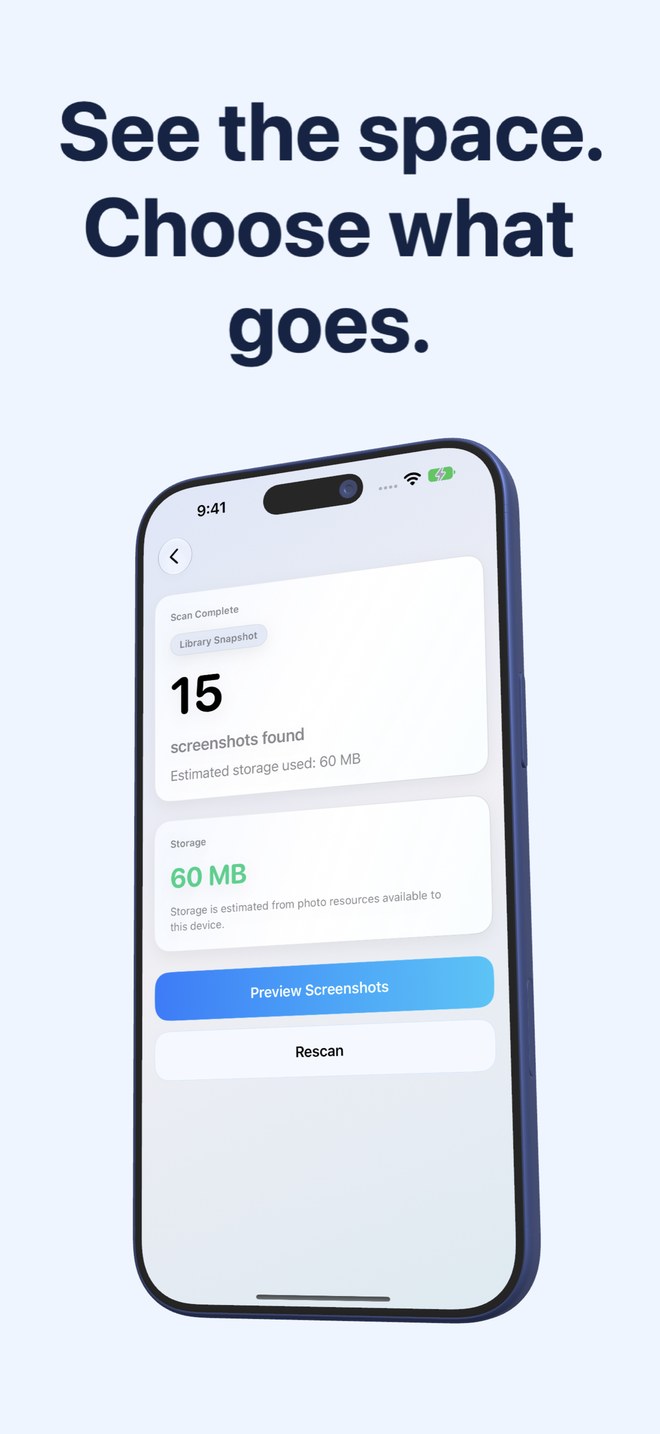
Fastest Screenshot Cleaner shows your accessible screenshot storage estimate right after a scan, surfaces the heaviest files in the Large stack, separates Invoices and Travel from Chats and Shopping via on-device Vision OCR, and flags SHA-256 plus visual-match duplicates.
| Effect | Fastest Screenshot Cleaner | Upgrading iCloud+ Alone |
|---|---|---|
| Reduces iCloud Photos gigabytes used | Yes (once deleted items leave Recently Deleted) | No — increases paid ceiling while keeping clutter |
| Declutters Photos search & library grids | Yes — removes hundreds of obsolete captures permanently | No — every old screenshot stays in your library |
| Protects genuine camera photos & device backups | Complements iCloud+ by freeing room inside your current tier | Core job of iCloud+ (recommended for real photos & backups) |
| Note on iCloud-only screenshot measurement | Measuring cloud-only items may prompt Photos to download them first | Optimize Storage keeps smaller proxies on device |
| Home Screen monitoring | Widget tracks screenshot count & size so piles don’t sneak back | Only notifies you when iCloud quota hits 95–100% full |
3. The smart two-step sequence before upgrading iCloud+
Before tapping Upgrade inside iCloud Settings, run a one-minute scan in Fastest Screenshot Cleaner, clear your disposable Chats, Web, Large and Duplicate screenshot stacks, verify you did not delete any needed receipt, and empty Recently Deleted. If your real photographs and videos still exceed your tier, upgrade iCloud+ knowing every dollar goes toward memories worth keeping.
| Situation | Action to take | Why |
|---|---|---|
| Sitting at 48 GB / 50 GB or 192 GB / 200 GB with 2,000+ screenshots | Run Fastest Screenshot Cleaner ($2.99) first | Clearing several GB of screenshots can keep you comfortably in your current tier |
| 4K family videos & iPhone Backups alone exceed 200 GB | Upgrade iCloud+ (and archive/clean screenshots as maintenance) | Real videos and backups genuinely require cloud capacity |
| Camera roll feels unusable because half of all thumbnails are screenshots | Fastest Screenshot Cleaner ($2.99) | More cloud space will never fix visual clutter inside Photos |
When does deleting screenshots actually reduce my iCloud storage bar?
Approved deletions move to Apple Photos > Recently Deleted for 30 days and continue counting toward iPhone and iCloud storage until those 30 days pass or you permanently delete them inside Recently Deleted.
Is iCloud Photos a standalone backup if I permanently delete a screenshot?
No. iCloud Photos is a synchronisation service: permanently removing a screenshot deletes it across all devices signed into that iCloud library. Keep an independent backup of vital documents.
Why might scanning iCloud-optimized screenshots use network traffic?
To read the exact size or content of a screenshot stored only in iCloud, Apple Photos may download it from Apple’s servers to your device.
Does Fastest Screenshot Cleaner charge any recurring fee like iCloud+?
No. It is a one-time $2.99 US App Store download with zero subscriptions.