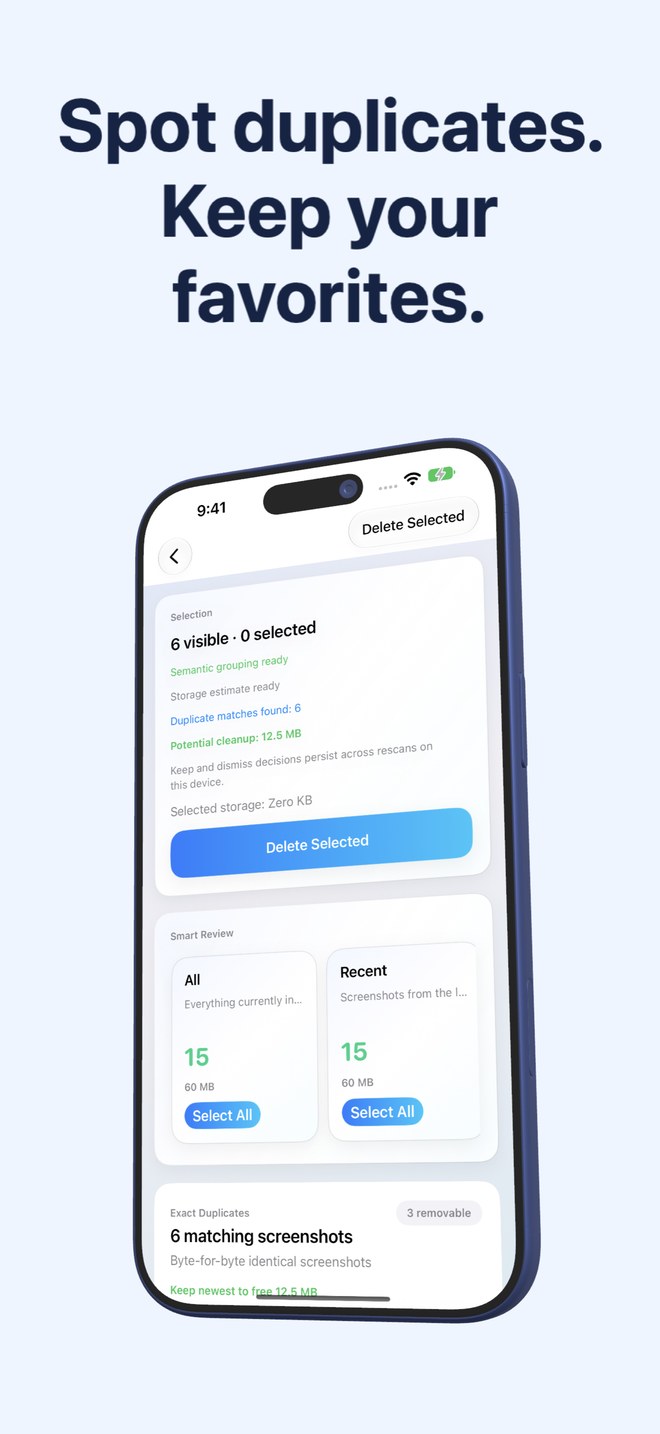
Exact Duplicate (SHA-256) vs Visually Similar Screenshot Detection: how re-saved copies differ from clones
Not all duplicate screenshots share identical bytes. Saving the same screenshot twice from Files creates a byte-for-byte clone, whereas re-saving a screenshot from Messages, cropping its status bar or taking two captures a second apart produces different file data that looks nearly identical. Fastest Screenshot Cleaner ($2.99 US paid download, iOS 26+) separates these into two distinct stacks—SHA-256 Exact Duplicates and Fingerprint+Vision-Text Visual Matches—so you know when copies are interchangeable and when to inspect first.
1. Byte-for-byte SHA-256 clones vs re-encoded visual matches
An Exact Duplicate means every single byte of the underlying image file hashes to the exact same SHA-256 digest: identical pixel dimensions, identical lossless/encoded payload, zero hidden differences. Removing extra copies from an Exact Duplicate group loses zero visual detail.
A Visual Match occurs when the same screen capture was saved again, converted from PNG to JPEG/HEIC, slightly re-compressed by a share sheet, or captured twice in a quick double-press. Because file hashes no longer match, Fastest Screenshot Cleaner pairs a compact image fingerprint with text recognised on-device via Apple Vision to group those copies accurately.
| Property | Exact Duplicates Stack | Visual Matches Stack |
|---|---|---|
| Matching algorithm | Cryptographic SHA-256 hash of the file bytes | Compact image fingerprint + recognised Apple Vision text |
| Are pixels 100% identical? | Yes — byte-for-byte identical file content | Visually matching, but encoding, resolution or markup may differ |
| Common real-world cause | Importing/saving the exact same capture twice | Re-saving from an app, double Side+Volume press, or format re-encode |
| Risk of losing an edit or crop | Virtually none across identical byte payloads | Moderate — one copy may hold a useful crop, pen markup or sharper PNG |
| One-tap helper action | Keep Newest marks all older identical copies for deletion | Keep Newest marks older copies — always inspect group before confirming |
2. Why Vision text recognition prevents false-positive screenshot grouping
Generic photo cleaners that rely purely on downsampled color/pixel hashes frequently misgroup screenshots: two different Uber receipts, two bank transfers to different people, or two Settings pages share 95% identical white/dark backgrounds, fonts and button bars.
By factoring in the actual text read on-device by Apple’s Vision framework alongside the visual fingerprint, Fastest Screenshot Cleaner tells re-saved copies of the SAME receipt apart from two separate orders on different days.
| Edge case | Pure SHA-256 Only | Pure Pixel Hash Only | SHA-256 + Vision-Assisted Visual Match |
|---|---|---|---|
| Exact duplicate PNG saved twice | Catches reliably | Catches | Placed in Exact Duplicates stack |
| PNG screenshot re-saved as JPEG | Misses (different bytes) | Catches | Placed in Visual Matches stack |
| Two different receipts from the same store UI | Correctly keeps separate | High risk of false grouping | Vision text differences help keep separate |
| Original screenshot + red-arrow annotated copy | Keeps separate | Often merges blindly | Flagged in Visual Matches so you can review which copy to keep |
| Storage freed calculation | Shown per group | Varies | Each group displays bytes freed by keeping one |
3. Safe review checklist before confirming Keep Newest
Remember what our duplicate guide emphasizes: a newer timestamp does not automatically guarantee higher quality—sometimes the newer copy is a lower-resolution compressed re-save, while the older copy is the crisp Retina PNG (or vice versa when the newer copy holds your markup). Try one Visual Match group first, verify the retained image, and rely on iOS Recently Deleted’s 30-day window as your backstop.
| Stack | How fast you can move | What to verify before Delete Selected |
|---|---|---|
| Exact Duplicates (SHA-256) | Fast — use Keep Newest confidently | Confirm you want at least one copy kept (or tick all if obsolete) |
| Visual Matches (Fingerprint + Text) | Measured — glance at thumbnails in each group | Check whether one version has annotations, tighter crop or sharper text |
| Non-duplicate topic stacks (Chats, Web) | Fast batch review on 3-column grid | Untick any conversation record you still need |
Are Visual Matches guaranteed to be interchangeable?
No. Because re-saved or edited screenshots can differ in compression quality, cropping or markup annotations, always inspect a Visual Match group before confirming deletion.
Does Keep Newest delete screenshots immediately when tapped?
No. Keep Newest simply ticks the older copies in that group for removal. Nothing is deleted until you tap Delete Selected and confirm in the system iOS Photos sheet.
Does SHA-256 and Vision duplicate scanning use the internet?
No. File hashing, image fingerprinting and Apple Vision text recognition all run locally on your iPhone or iPad.
Why didn’t an image sent to me on WhatsApp show up in duplicate screenshots?
Messaging apps usually strip the iOS screenshot subtype metadata when sending images, so PhotoKit no longer classifies the received image as a screenshot.