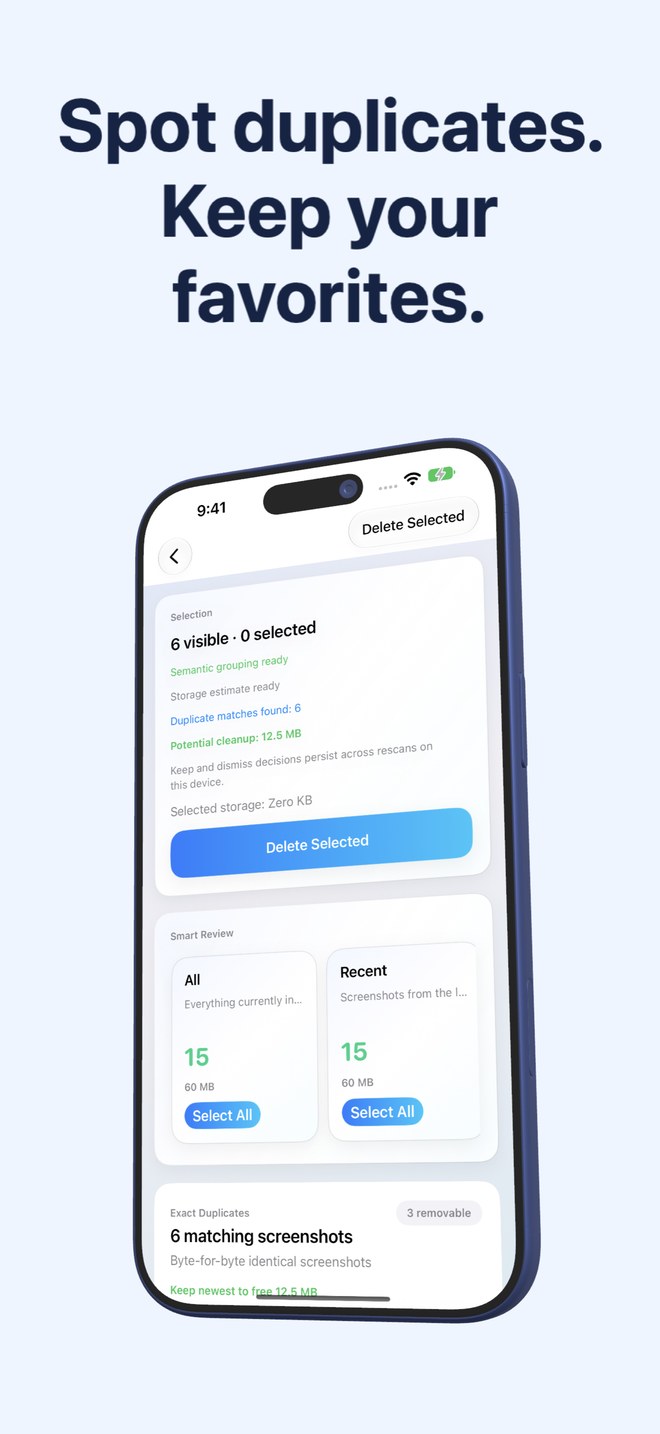
Fastest Screenshot Cleaner vs Remo Duplicate Photos Remover: full screenshot cleanup vs duplicate-only scanning
Remo Duplicate Photos Remover is a single-purpose duplicate scanner built to find repeated images across your camera roll. Yet in most iPhone libraries, duplicate screenshots account for only a fraction of wasted screenshot storage—the real bulk is thousands of unique, one-off screenshots (old chats, tracking pages, menus, app screens) that a duplicate-only scanner ignores completely. Fastest Screenshot Cleaner ($2.99 US paid download, iOS 26+) cleans both duplicate screenshots and unique screenshot piles.
1. Why duplicate-only scanning leaves 80%+ of screenshot clutter behind
Think about how screenshots accumulate: you snap one order confirmation, one map route, one error dialog, one recipe ingredient list and one funny message thread. None of those five files is a duplicate of another—so a duplicate-only remover reports "0 duplicates found" while gigabytes of obsolete screenshots stay right on your iPhone.
Fastest Screenshot Cleaner solves both halves in one scan. It isolates exact SHA-256 duplicates and re-saved visual matches in dedicated duplicate stacks, AND organizes all your single, non-duplicate screenshots into Large, Recent, Portrait, Landscape, and on-device Vision text stacks (Shopping, Invoices, Chats, Books, Code, Web and Apps, Travel).
| Clutter type | Fastest Screenshot Cleaner | Remo Duplicate Photos Remover |
|---|---|---|
| Byte-identical duplicate screenshots | Yes — SHA-256 Exact Duplicates stack with Keep Newest | Yes — exact duplicate photo scan |
| Re-saved / re-encoded duplicate screenshots | Yes — Visual Matches stack (image fingerprint + Vision text) | Similar-photo tab across general camera roll |
| Unique old chat, shopping & web screenshots | Yes — sorted into on-device Vision OCR stacks with Select All | Not flagged (single images are ignored by duplicate scanners) |
| Extra-heavy single Retina PNG screenshots | Yes — surfaced in the dedicated Large stack with byte sizes | Not flagged unless duplicated |
| Duplicate non-screenshot camera photos | Not scanned (app reads screenshots only on purpose) | Scanned across general camera roll (also covered free by iOS Photos) |
2. Screenshot duplicate accuracy: combining Vision OCR with image fingerprints
Purely visual similarity scanners often struggle with screenshots because two completely different Settings screens or two banking receipts in Dark Mode share identical layouts, colors and status bars—risking false positives where distinct records get grouped together.
Fastest Screenshot Cleaner pairs a compact image fingerprint with Apple Vision on-device text recognition when building its Visual Matches stack. Reading the words on the screen helps distinguish two different invoices that share the same app template, while still reminding you to inspect crops and annotations before tapping Delete Selected.
| Technical detail | Fastest Screenshot Cleaner | Remo Duplicate Photos Remover |
|---|---|---|
| Exact match algorithm | On-device SHA-256 file hashing | Exact file/image comparison |
| Similar screenshot safeguard | Image fingerprint + on-device Apple Vision recognised text | Visual pixel similarity across general photos |
| Modern OS target | Built for iOS 26 & iPadOS 26 (iPhone & iPad) | Legacy utility UI; check App Store update recency before installing |
| Limited Photos access | Supported — scans only shared screenshots | Typically expects full photo library access |
| Home Screen widget | Included — shows screenshot count, storage size & Scan shortcut | No screenshot storage widget |
3. Pairing free iOS Duplicates with Fastest Screenshot Cleaner
Before Remo existed, iOS had no native duplicate finder. Today, Apple Photos includes Utilities > Duplicates at zero cost for general camera-roll duplicates. That means installing a third-party app solely for basic camera duplicates is rarely necessary anymore.
Spending $2.99 once on Fastest Screenshot Cleaner fills the genuine gap Apple Photos leaves open: measuring total screenshot weight, catching re-saved screenshot visual matches with Vision text awareness, and clearing hundreds of non-duplicate screenshots by topic.
| Scenario | Best tool | Reason |
|---|---|---|
| Merging duplicate camera photos & burst copies for free | Apple Photos > Utilities > Duplicates ($0) | Built into iOS natively with zero extra apps |
| Deleting both duplicate screenshots AND thousands of one-off screenshots | Fastest Screenshot Cleaner ($2.99 once) | Handles SHA-256/Visual duplicates plus Large and Vision topic stacks |
| Avoiding false-positive grouping of similar-looking receipts | Fastest Screenshot Cleaner ($2.99 once) | Uses on-device Vision text alongside visual fingerprinting |
Are Visual Matches in Fastest Screenshot Cleaner deleted automatically?
Never. Visual Matches are presented in their own review stack where you can compare copies, optionally use Keep Newest to tick older copies, inspect crops or annotations, and confirm via the iOS Photos sheet.
Why didn’t a duplicate finder free much space on my iPhone?
Most screenshot bloat consists of single, non-duplicated captures (chats, orders, web pages). Fastest Screenshot Cleaner groups those unique screenshots by size and Vision text topic so you can remove them in bulk.
Does Fastest Screenshot Cleaner upload screenshots for OCR or hashing?
No. Both SHA-256 hashing and Apple Vision text recognition execute locally on your iPhone or iPad.
What does Fastest Screenshot Cleaner cost?
It is a $2.99 US one-time paid download on the App Store with no subscription.