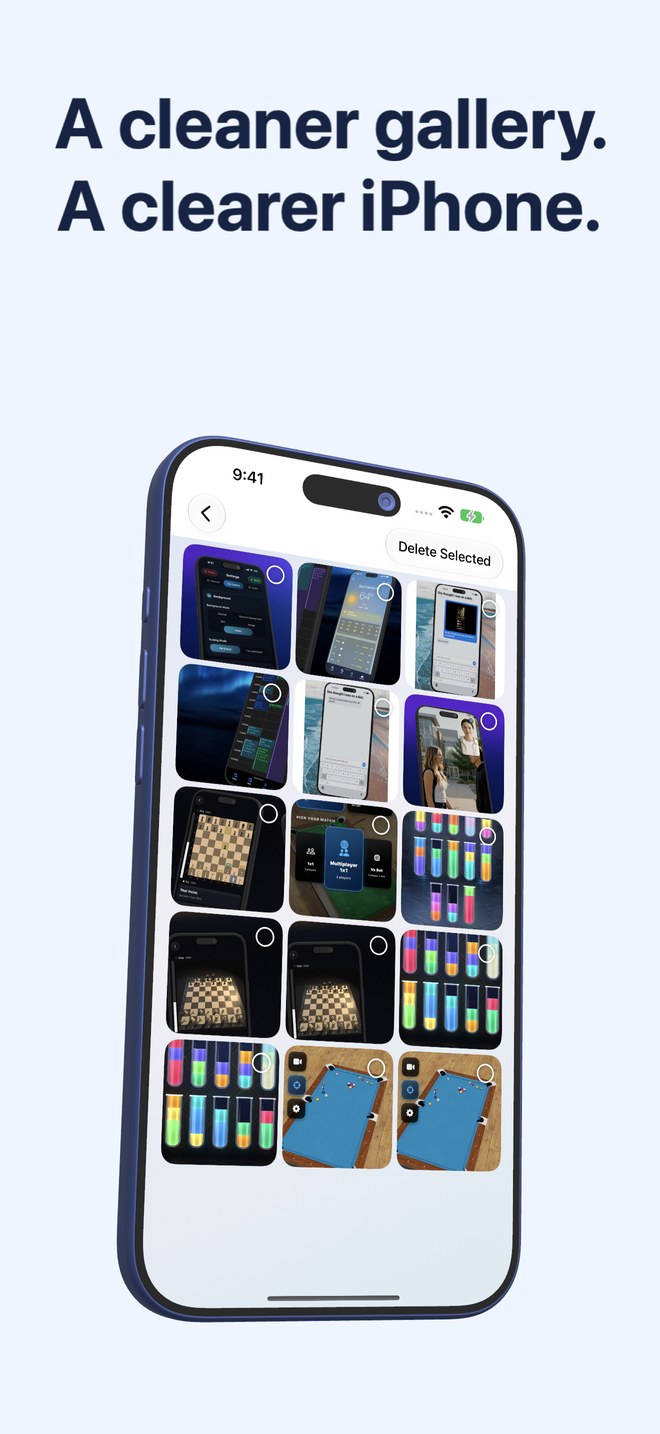
Fastest Screenshot Cleaner vs Cleanup: Phone Storage Cleaner — $2.99 once vs weekly cleaner subscriptions
Heavily advertised App Store utilities like Cleanup: Phone Storage Cleaner bundle photo swiping, video compression, contact merging and fake-battery/secret-vault extras behind high-cost weekly subscriptions (commonly $7.99–$9.99/week after a short trial). Fastest Screenshot Cleaner ($2.99 US one-time paid download, iOS 26+) strips away every unrelated bundle feature and weekly billing trap to clean screenshots on-device in under a minute.
1. Pricing reality: $2.99 once vs $7.99–$9.99 per week
Storage cleanup is an episodic chore—most people clean their gallery once every month or two, or right when an "iPhone Storage Almost Full" alert blocks an iOS update. Weekly-billed cleaner apps capitalize on forgotten 3-day free trials: a single overlooked month of a $7.99/week cleaner costs over $31, and a full year exceeds $400.
Fastest Screenshot Cleaner costs $2.99 once on the US App Store (with regional prices displayed upfront by Apple before purchase). There are no paywall popups mid-scan, no daily deletion quotas forcing an upgrade, and no subscription to cancel in Apple Settings.
| Billing dimension | Fastest Screenshot Cleaner | Cleanup: Phone Storage Cleaner |
|---|---|---|
| Upfront transparency | Exact price ($2.99 US) shown on the App Store Buy button | Free download leading into trial & recurring subscription paywalls |
| Recurring weekly or yearly fee | $0 — no subscription exists in the app | Weekly or annual auto-renewing subscription for full access |
| Quota gates during cleanup | None — scan, review and bulk-delete unlimited screenshots | Free tier commonly caps deletions or locks categories behind Pro |
| Cost over 12 months | $2.99 one time | Dozens to hundreds of dollars depending on weekly vs annual plan |
| In-app purchase upsells | None | Multiple plan tiers and trial conversion prompts |
2. Focused screenshot engineering vs kitchen-sink feature bloat
All-in-one storage cleaners pad their feature lists with contact deduplicators, calendar wipers, charging animations and "secret photo vaults" (which are dangerous if you ever delete the app without exporting vaulted files first). Requesting Contacts, Calendars and Full Photos permissions widens your privacy exposure unnecessarily.
Fastest Screenshot Cleaner asks only for Photos access (Full or Limited—never Contacts or Calendars). It reads screenshot sizes from PhotoKit, builds Large and Recent stacks, runs Apple Vision on-device to group Shopping, Invoices, Chats, Books, Code, Web and Apps, and Travel screenshots, and separates SHA-256 exact duplicates from visual matches.
| Capability / Permission | Fastest Screenshot Cleaner | Cleanup: Phone Storage Cleaner |
|---|---|---|
| Contacts & Calendar permissions | Never requested | Requested for contact-merge and old-event cleaner tabs |
| Proprietary in-app "Secret Vault" | None — your photos stay natively inside Apple Photos | Included; deleting app risks losing unexported vaulted items |
| Screenshot Vision text stacks | Yes — Invoices, Chats, Shopping, Travel, Books, Code, Web & Apps | General screenshot bucket or swipe queue without OCR topic cards |
| Duplicate screenshot precision | SHA-256 Exact Duplicates + Fingerprint/Text Visual Matches | General similar-image clustering across entire camera roll |
| Home Screen storage widget | Displays screenshot count & MB/GB size with one-tap Scan | Promotional/general storage widgets vary by tier |
3. When a general cleaner helps vs when Screenshot Cleaner wins
If you specifically want an app to compress large camera-roll videos at lower bitrates, Fastest Screenshot Cleaner will not do that—it never touches videos or camera photos. Note that for merging duplicate contacts or finding duplicate general photos, iOS already includes free built-in tools inside the Apple Contacts and Apple Photos apps.
For anyone whose camera roll is clogged with old chats, order screenshots, app captures and re-saved copies, Fastest Screenshot Cleaner delivers faster bulk grid selection at a fraction of a single week’s cleaner subscription.
| Cleanup job | Smartest tool | Why |
|---|---|---|
| Deleting hundreds or thousands of screenshots by topic, size or duplicate | Fastest Screenshot Cleaner ($2.99 once) | Purpose-built stacks, Select All grid, 30-day Recently Deleted safety |
| Merging duplicate iPhone contacts | Built-in Apple Contacts app ($0) | iOS natively detects and merges duplicate contacts at the top of Contacts |
| Reviewing largest videos & app caches | iOS Settings > General > iPhone Storage ($0) | Shows exact gigabytes per video and per app with zero subscriptions |
| Compressing treasured camera photos into an archive video | Photo2Video Archive ($3.99 once) | Turns selected on-device photos into a verified HEVC MP4 archive |
Why do so many iPhone storage cleaners charge $7.99 to $9.99 per week?
Paid search ads for "clean iPhone storage" are competitive, so many publishers use 3-day trials that convert into high weekly billing hoping users forget to cancel after a one-time cleanup.
Does Fastest Screenshot Cleaner have any hidden in-app purchases?
No. Every feature—PhotoKit scanning, byte totals, Large stack, Vision content stacks, SHA-256 and visual duplicate groups, bulk deletion and the Home Screen widget—is included in the one-time paid download.
Does Fastest Screenshot Cleaner access my Contacts or Calendar?
Never. It only requests Photos access (Full or Limited) to read and delete screenshots you select.
Can I recover screenshots if I delete a stack by mistake?
Yes, for up to 30 days. Deletions run through the system iOS Photos confirmation sheet and place items in Apple Photos > Recently Deleted.