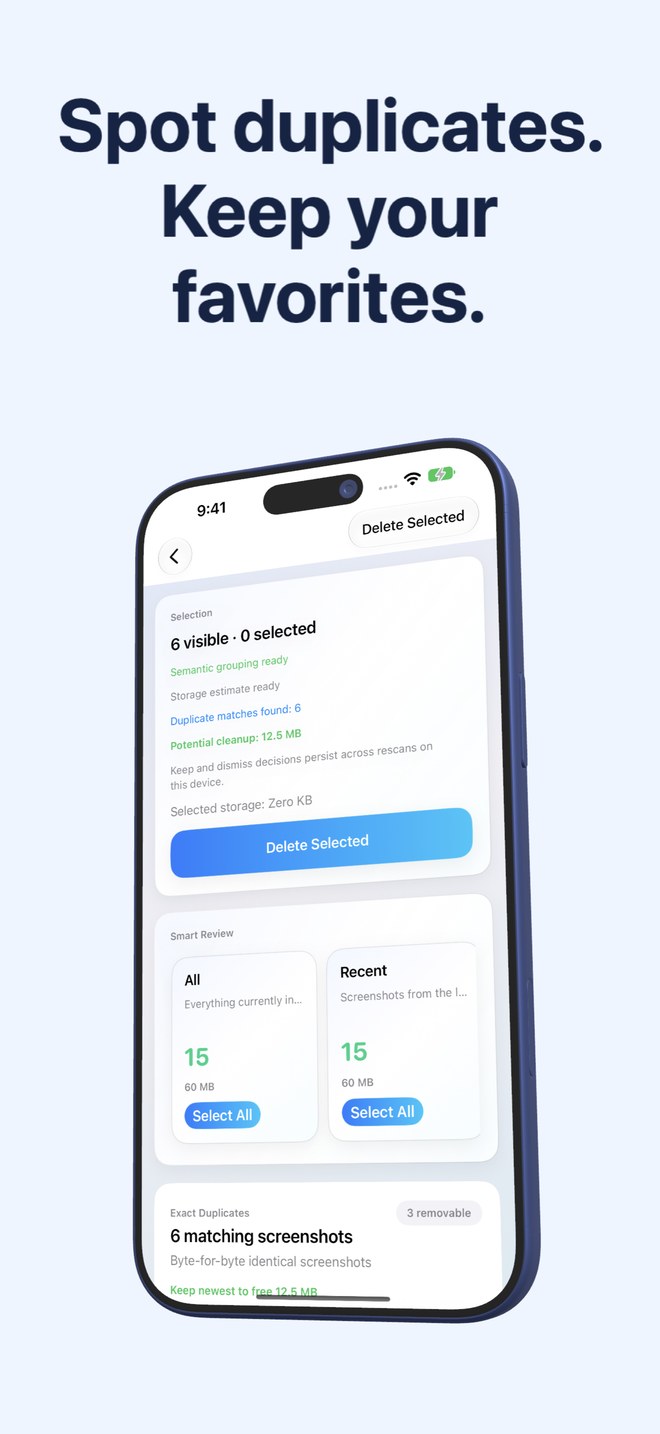
Fastest Screenshot Cleaner vs Clever Cleaner: screenshots-only $2.99 utility vs broad camera-roll cleaner
General-purpose free or freemium cleaners such as Clever Cleaner scan your entire camera roll—similar bursts, Live Photos, large videos and screenshots together—for users wanting an all-media sweep. Fastest Screenshot Cleaner ($2.99 US paid download, iOS 26+) deliberately restricts its PhotoKit query to screenshots alone, adding on-device Vision text stacks (Chats, Invoices, Shopping, Travel, Code) so camera memories are never mixed into bulk-delete cards.
1. Screenshots-only isolation vs full camera-roll scanning
Broad phone cleaners ask to index every photo, Live Photo and video in your library so they can group similar camera shots alongside heavy videos. That wider net is helpful when 4K vacation clips fill your phone, but risky when you want rapid one-tap Select All deletion without accidentally ticking personal family photos.
Fastest Screenshot Cleaner only ever requests assets marked as screenshots by PhotoKit. Even with Full Photos access, regular camera photographs, portraits, Live Photos and screen recordings stay outside the app’s grids and stacks by design.
| Feature | Fastest Screenshot Cleaner | Clever Cleaner (General Cleaner) |
|---|---|---|
| Library scope | Screenshots only (PhotoKit screenshot subtype) | Full library: similar photos, Live Photos, videos & screenshots |
| Risk of mixing camera photos into bulk delete | None for non-screenshots — camera photos & videos are never loaded | Requires checking which bucket you are viewing before bulk removal |
| Text-aware screenshot stacks | On-device Vision groups: Shopping, Invoices, Chats, Books, Code, Web, Travel | Focuses on general visual similarity, media type & large video buckets |
| Exact + re-saved screenshot duplicates | Separate SHA-256 Exact Duplicates & Fingerprint+Text Visual Matches stacks | General AI similar-photo grouping across the camera roll |
| Home Screen screenshot widget | Shows waiting screenshot count, byte estimate & direct Scan button | Varies by build; geared toward general phone storage sweeps |
2. Privacy surface, Limited Photos access and on-device Vision
When evaluating any free or low-cost iOS cleaner, always inspect its App Store Privacy nutrition label, network permissions and whether it works cleanly under iOS Limited Photos access. Many broad cleaners press for Full Access because whole-library similarity engines struggle with partial selections.
Fastest Screenshot Cleaner supports both Full and Limited Photos access, requires no user account, and performs SHA-256 hashing, compact image fingerprinting and Apple Vision text recognition strictly on your iPhone or iPad. Note transparently that while live version 1.1.3 transitions away from earlier AdMob ad support, version 1.1.4 and later contain no advertising at all, and photos or recognised text are never uploaded to Arte Soft servers.
| Dimension | Fastest Screenshot Cleaner | Broad All-Media Cleaners |
|---|---|---|
| Account or email sign-in | None — no account or registration | Typically no login, though ad/analytics SDKs vary by app |
| Limited Photos access workflow | Supported — scans and deletes only shared screenshots | Often prompts repeatedly for Full Library access |
| Where OCR & duplicate matching run | 100% on-device via PhotoKit, SHA-256 & Apple Vision | Check vendor privacy policy & App Store nutrition labels |
| Automatic or background deletion | Never — background task only refreshes widget count/size | Manual confirmation required via iOS PhotoKit |
| Recovery window after deletion | 30 days in iOS Recently Deleted via system Photos sheet | 30 days in iOS Recently Deleted when using PhotoKit |
3. Business model clarity and when to pick each app
Apps advertised as completely free either monetize through advertising, introduce paid tiers later, or upsell companion apps. Fastest Screenshot Cleaner charges a straightforward $2.99 US one-time paid download through Apple with no subscription, no free-trial timer to cancel and no in-app purchase screens.
If your main storage problem is 4K videos and burst camera shots, use Apple’s Settings > General > iPhone Storage video list or a general media cleaner. If half your gallery is forgotten screenshots and you want topic-sorted stacks that never touch real photos, Fastest Screenshot Cleaner is purpose-built for that job.
| Primary goal | Better fit | Reason |
|---|---|---|
| Bulk-clearing chats, app screens & duplicate screenshots safely | Fastest Screenshot Cleaner | PhotoKit subtype filter + Vision topic stacks keep camera memories untouched |
| Sorting Invoices & Travel passes away from disposable captures | Fastest Screenshot Cleaner | On-device Vision text recognition separates document-like screenshots |
| Finding multi-gigabyte 4K camera videos or Live Photos | Apple iPhone Storage / General Cleaner | Fastest Screenshot Cleaner intentionally ignores videos and Live Photos |
| Transparent upfront App Store purchase with zero subscriptions | Fastest Screenshot Cleaner | $2.99 US paid download handled by Apple; no recurring billing |
Can Fastest Screenshot Cleaner clean blurry camera photos or large videos?
No, by design. Fastest Screenshot Cleaner only queries PhotoKit for screenshots so you can select and delete disposable captures in bulk without risking camera photos, Live Photos or videos.
How much does Fastest Screenshot Cleaner cost?
It is a $2.99 US one-time paid download on the App Store (Apple displays regional pricing before purchase), with no subscription and no in-app purchases.
Does Fastest Screenshot Cleaner work on both iPhone and iPad?
Yes. It supports iPhone and iPad running iOS 26 / iPadOS 26 or later under a single App Store purchase.
What happens to the text Vision reads on my screenshots?
Apple’s on-device Vision framework reads screenshot text temporarily to place items into content stacks like Chats or Invoices and refine visual-match duplicates. That text is never stored permanently or sent off your device.