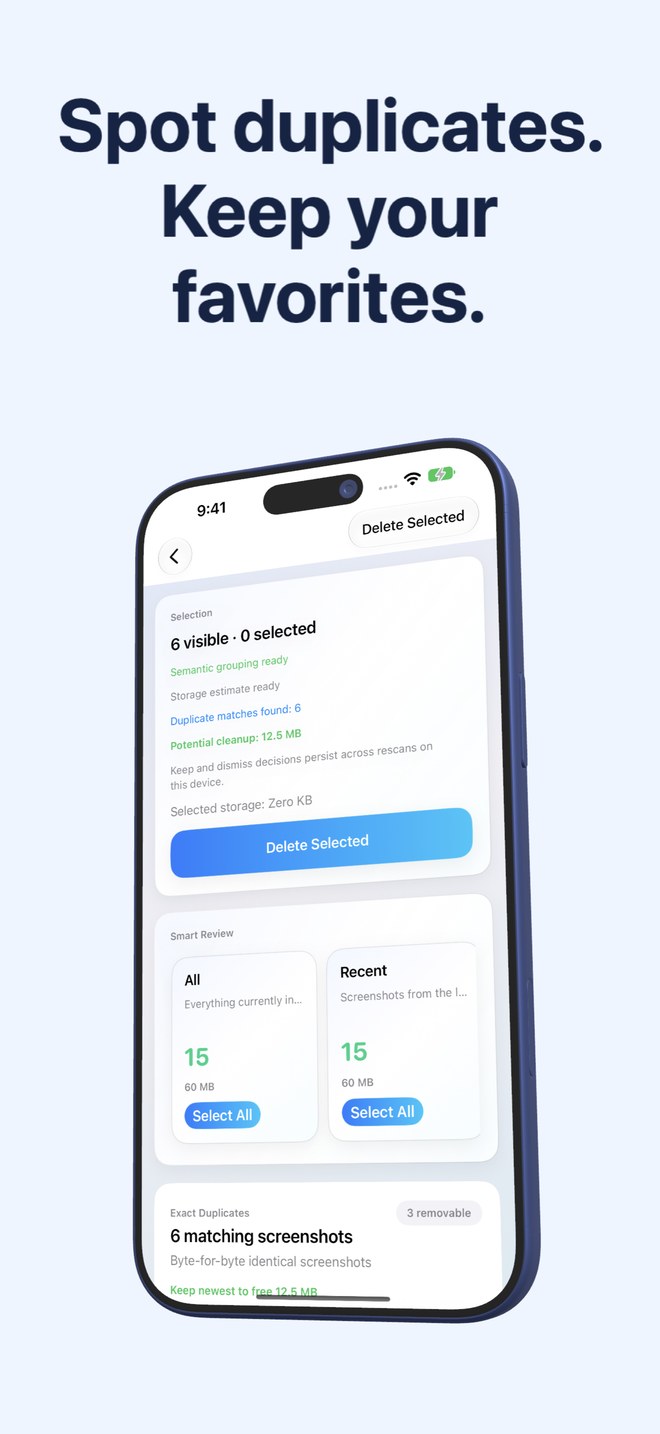
Fastest Screenshot Cleaner vs Slidebox: dedicated screenshot bulk cleanup vs album-sorting organizer
Slidebox is built for organizing photographs you plan to keep—flicking camera shots upward to trash them or tapping album chips to file them into neat folders. Screenshots are almost always the opposite problem: temporary clutter you want measured, grouped by type or duplicate, and deleted in bulk rather than filed into permanent albums. Fastest Screenshot Cleaner ($2.99 US one-time paid download, iOS 26+) automates that screenshot-specific triage without subscription tiers.
1. Filing photos to keep vs bulk-removing screenshots you do not need
Slidebox shines when you return from a wedding or trip with 600 real photographs and want to step through your Unsorted stream one image at a time—trashing duds and filing keepers into custom PhotoKit albums. Stepping through 2,500 old shipping trackers, QR codes and chat screenshots one by one, however, turns cleanup into a chore.
Fastest Screenshot Cleaner skips album filing altogether and focuses strictly on PhotoKit screenshots. It automatically builds review cards—Everything, Recent, Portrait, Landscape, Large, Exact Duplicates, Visual Matches, plus on-device Vision text groups (Shopping, Invoices, Chats, Books, Code, Web and Apps, Travel)—so you can review and delete whole categories at once.
| Dimension | Fastest Screenshot Cleaner | Slidebox Photo Manager |
|---|---|---|
| Primary job | Measure, group & bulk-delete screenshots on iPhone & iPad | Step through camera roll to trash duds & file keepers into albums |
| Scope of Photos library | Screenshots only (PhotoKit screenshot subtype) | All unsorted photos, screenshots & videos in library |
| Automatic content grouping | On-device Vision OCR groups (Chats, Invoices, Shopping, Code, Travel…) | User-created albums assigned manually via tap |
| Storage byte measurement | Total screenshot storage + per-stack & selected-item byte estimates | Focused on visual sorting rather than per-stack byte accounting |
| Duplicate handling | Dedicated SHA-256 Exact & Fingerprint+Text Visual Match stacks + Keep Newest | Side-by-side comparison of adjacent similar shots during manual review |
2. Pricing, subscriptions and iPad workflow
Over the years Slidebox moved toward freemium limits with paid monthly/annual membership tiers (or higher-priced unlocks) for unrestricted organizing features. If you only need a tool to clear screenshot bloat, paying an ongoing organizer subscription is unnecessary overhead.
Fastest Screenshot Cleaner is a flat $2.99 US paid download on the App Store with no subscription, no account login, native support for both iPhone and iPad (iOS 26 / iPadOS 26+), and a Home Screen widget showing current screenshot count and size.
| Factor | Fastest Screenshot Cleaner | Slidebox |
|---|---|---|
| Pricing structure | $2.99 US one-time paid App Store download; no subscription | Freemium download with paid subscription / membership tiers |
| Account requirement | No account or sign-in | Optional/subscription restore via Apple ID |
| iPhone & iPad support | Universal iPhone & iPad app (iOS 26 / iPadOS 26+) | Available on iPhone & iPad |
| Limited Photos access | Supported — operates strictly on shared screenshots | Works via PhotoKit; best with full album access |
| Deletion safety net | System iOS Photos confirmation -> 30 days in Recently Deleted | Trash bin committed via PhotoKit -> 30 days in Recently Deleted |
3. Can you use both—or pick just one?
Because both apps read and write directly to your native Apple Photos library via PhotoKit rather than locking files inside private app folders, they never conflict. Deleting 1,500 junk screenshots in Fastest Screenshot Cleaner first immediately shrinks the Unsorted backlog you would otherwise have to flick through in Slidebox or Apple Photos.
| Goal | Recommended choice | Why |
|---|---|---|
| Sorting family, travel & hobby camera photos into named albums | Slidebox (or Apple Photos Albums) | Designed around single-tap album assignment |
| Eliminating hundreds of old screenshots & duplicate captures fast | Fastest Screenshot Cleaner | Vision content stacks, Large stack & Select All clear piles in a minute |
| Keeping Invoices while wiping Chats and Shopping screenshots | Fastest Screenshot Cleaner | On-device Vision text recognition separates them automatically |
| One-time $2.99 budget with zero recurring fees | Fastest Screenshot Cleaner | Paid upfront download with no subscription plans |
Does Fastest Screenshot Cleaner create custom albums in Apple Photos?
No. Its review stacks (such as Large, Chats, Invoices and Duplicates) live cleanly inside the app’s review screen so it can group screenshots without cluttering your Apple Photos album list.
If I clean screenshots in Fastest Screenshot Cleaner, does Apple Photos update automatically?
Yes. Fastest Screenshot Cleaner deletes selected items directly through Apple’s PhotoKit framework after system confirmation, moving them immediately to Recently Deleted.
Does Fastest Screenshot Cleaner touch Live Photos or camera videos?
No. It requests only images marked with the PhotoKit screenshot subtype.
Is there any monthly fee in Fastest Screenshot Cleaner?
None. It is a one-time paid App Store download with no subscription.