Fastest Screenshot Cleaner vs Mac Image Capture & Photos Cleanup: untethered on-device triage vs USB cable sorting
Plugging an iPhone into a Mac with a USB cable and opening macOS Image Capture is an old-school way to sort DCIM files by kind (`PNG`) or file size—provided iCloud Photos "Optimize iPhone Storage" is turned OFF. Once iCloud Photos is active, Image Capture often blocks direct deletion or hides cloud-optimized assets altogether. Fastest Screenshot Cleaner ($2.99 US one-time paid download, iOS 26+) cleans screenshots right on your iPhone or iPad in sixty seconds, with or without iCloud Photos and with zero cables.
1. Why USB Image Capture breaks down on modern iCloud-synced iPhones
macOS Image Capture reads the raw camera-roll mount over USB. If you use iCloud Photos (as most iPhone and iPad owners do), Image Capture disables the Delete button or shows incomplete lists because Apple manages library deletions through PhotoKit and iCloud rather than raw PTP cable commands. Even in the macOS Photos app, waiting for a laptop to sync gigabytes of thumbnails just to clear phone screenshots adds friction.
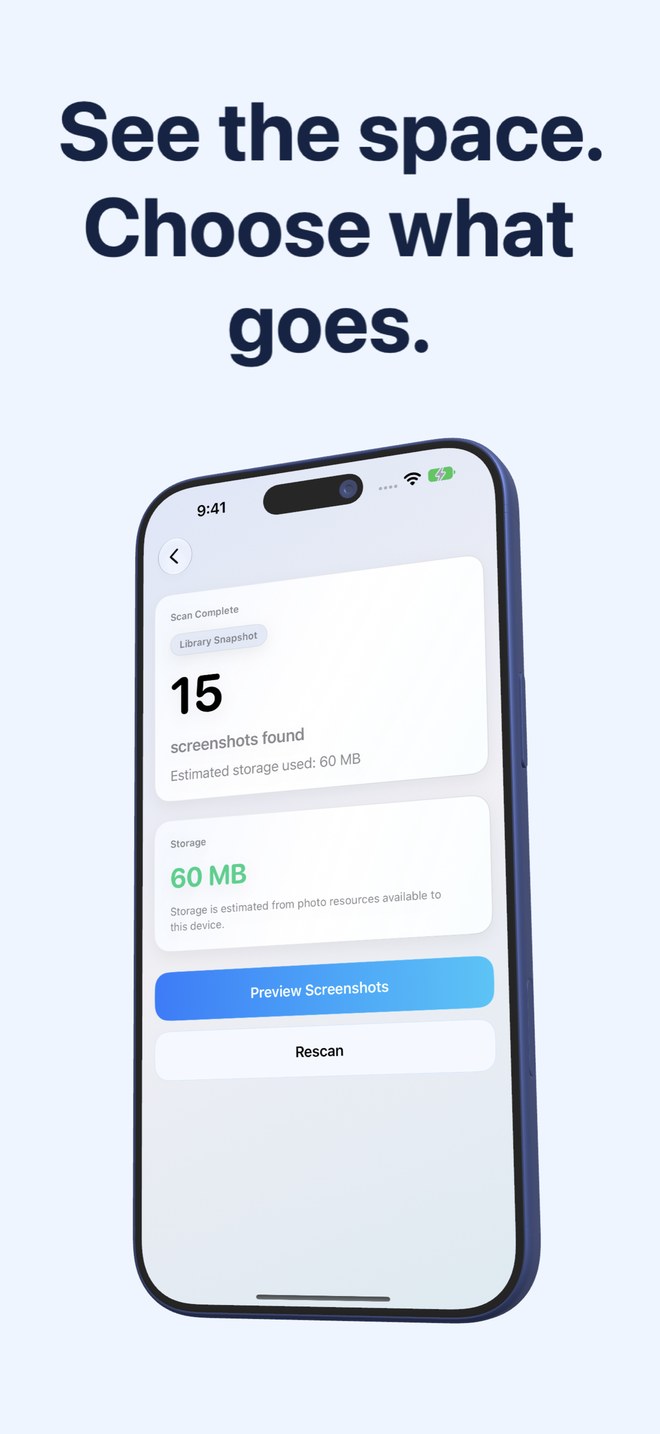
Fastest Screenshot Cleaner talks natively to iOS PhotoKit on your iPhone or iPad. Whether iCloud Photos is enabled or purely local, you scan, see device storage estimates, review stacks and delete through the standard Photos confirmation sheet from the couch or airport gate.
| Workflow factor | Fastest Screenshot Cleaner (iOS/iPadOS) | macOS Image Capture / Mac Photos |
|---|---|---|
| Hardware required | Just your iPhone or iPad (no cable, no computer) | Requires a Mac (+ USB cable for Image Capture) |
| Works with iCloud Photos enabled | Yes — deletes cleanly via PhotoKit & syncs across iCloud | Image Capture disables/limits delete when iCloud Photos is on; must use Mac Photos |
| Identifying screenshots accurately | PhotoKit screenshot subtype (catches PNG & HEIC screenshots alike) | Sorting Image Capture by `.PNG` misses HEIC/HDR screenshots & grabs downloaded PNG graphics |
| Topic grouping by text (Chats, Invoices) | Automatic on-device Vision stacks (7 content groups) | Manual Smart Albums or one-by-one keyword search in Mac Photos |
| Duplicate screenshot stacks | SHA-256 Exact + Fingerprint/Text Visual Matches with Keep Newest | No screenshot-only visual+text duplicate view in Image Capture |
2. Safety net: 30-day Recently Deleted vs immediate USB Image Capture erasure
Here is a critical catch many guides overlook: deleting photos over USB inside macOS Image Capture (on local-only libraries) bypasses iOS Recently Deleted and erases them permanently on the spot. One accidental Shift-click wipes an unbacked-up receipt forever.
Fastest Screenshot Cleaner always routes Delete Selected through Apple’s native PhotoKit sheet, guaranteeing that every removed screenshot stays recoverable inside Recently Deleted for 30 days.
| Safety / Convenience check | Fastest Screenshot Cleaner | macOS Image Capture |
|---|---|---|
| 30-day Recently Deleted safety net | Yes — every deletion goes to Recently Deleted for 30 days | No — Image Capture USB deletes are immediate & permanent |
| Large-file priority sorting | Built-in Large stack + per-stack byte totals | Table column sort by File Size (local non-iCloud files only) |
| Time to start a cleanup | 2 seconds (or 1 tap from Home Screen widget) | Find cable, unlock phone, click Trust This Computer, wait for enumeration |
| Windows / Linux / iPad-only households | Works standalone on any iPhone or iPad (iOS 26+) | Image Capture requires a Mac |
| Cost | $2.99 US one-time paid App Store download | $0 if you already own a Mac |
3. When to plug into a Mac vs when to clean right on iOS
Use a Mac with Image Capture or Finder when you want to copy an offline backup archive of thousands of raw vacation videos and photos onto an external SSD before wiping a local-only iPhone. For everyday screenshot decluttering, doing the review directly on your iPhone or iPad with Fastest Screenshot Cleaner is safer, faster and iCloud-compatible.
| Task | Best workflow | Why |
|---|---|---|
| Exporting an offline backup of photos/videos to an external hard drive | Mac Photos / Image Capture + SSD | Direct USB transfer to external storage is built for archival backups |
| Deleting hundreds of screenshots on an iCloud Photos iPhone or iPad | Fastest Screenshot Cleaner ($2.99) | Works natively with PhotoKit + 30-day Recently Deleted recovery |
| Sorting Chats & Shopping captures away from Invoices on the go | Fastest Screenshot Cleaner ($2.99) | On-device Vision OCR groups work anywhere without a computer |
Why can’t I just delete all PNG files in Image Capture to clear screenshots?
Not all PNGs in Photos are screenshots (saved logos, transparent graphics and illustrations are often PNGs too), and HDR or edited captures can be stored in other formats. Fastest Screenshot Cleaner checks the actual PhotoKit screenshot marker instead of guessing by file extension.
Why is the delete icon missing in macOS Image Capture for my iPhone?
When iCloud Photos is enabled on your iPhone, Apple disables USB deletion inside Image Capture because your library is managed by iCloud.
Does Fastest Screenshot Cleaner download iCloud-only screenshots when scanning?
Measuring the byte size of a screenshot that exists only in iCloud can prompt Apple Photos to download it from Apple, which is why the storage card notes its estimate reflects accessible device resources.
Should I still back up important screenshots to a Mac or external drive?
Yes. Always keep an independent backup of important receipts or records; neither iCloud Photos synchronisation nor a storage cleaner replaces a separate backup.