Fastest Screenshot Cleaner vs iOS Shortcuts "Delete Screenshots": visual Vision review vs blind batch limits
Building a free "Find Photos where Is a Screenshot -> Delete Photos" automation in Apple’s Shortcuts app is a neat power-user trick when you want to wipe the last five captures blindly. Across hundreds or thousands of screenshots, however, Shortcuts hits iOS action-count ceilings, shows tiny or zero visual context, ignores file byte sizes, cannot group re-saved duplicates, and risks wiping tax receipts alongside memes. Fastest Screenshot Cleaner ($2.99 US paid download, iOS 26+) gives you visual stacks, byte math and one-tap Select All safely.
1. Visual stack inspection vs blind "Find Photos -> Delete" scripts
An iOS Shortcut running `Find All Photos where Is a Screenshot` followed by `Delete Photos` either deletes items blindly after a generic confirmation prompt or forces you into a cramped system picker sheet with no file sizes, no duplicate grouping and no text categorization. Worse, large PhotoKit batches inside Shortcuts frequently stall or require enabling "Allow Deleting Large Amounts of Data" deep inside Settings > Apps > Shortcuts > Advanced.
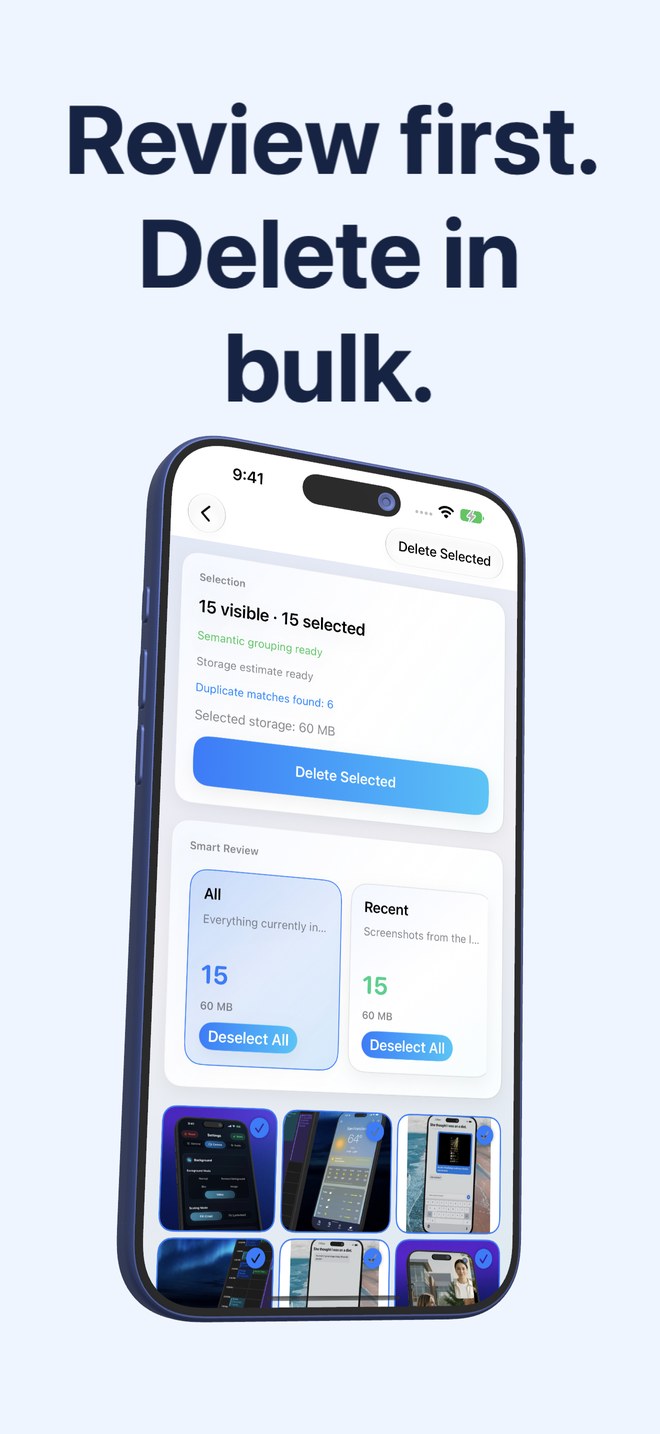
Fastest Screenshot Cleaner gives you a dedicated visual triage room: total accessible screenshot storage at the top, cards for Recent, Portrait, Landscape, Large, Exact Duplicates and Visual Matches, plus seven on-device Vision text stacks (Shopping, Invoices, Chats, Books, Code, Web and Apps, Travel) on a responsive three-column grid.
| Capability | Fastest Screenshot Cleaner | iOS Shortcuts Automation |
|---|---|---|
| Visual preview before deletion | Full 3-column thumbnail grid per stack + tap to inspect/toggle | Blind batch delete or cramped generic picker popup |
| Storage size visibility | Total screenshot estimate + per-stack & selected byte sums | No combined MB/GB readout before deleting |
| Topic separation (Invoices vs Chats) | Automatic on-device Apple Vision OCR content stacks | Requires slow custom per-image Extract Text loops that time out on big sets |
| Duplicate screenshot grouping | SHA-256 Exact + Fingerprint/Text Visual Matches with Keep Newest | Not built into Shortcuts Find Photos actions |
| Large-batch stability (1,000+ items) | Single native PhotoKit Delete Selected call | Hits Shortcuts batch-delete guardrails unless Advanced toggle is enabled |
2. Home Screen widget vs manual Shortcut triggers
Many users put a Shortcut icon on their Home Screen, yet a Shortcut tile is static—it cannot quietly display "1,420 screenshots · 4.8 GB" before you tap it. Fastest Screenshot Cleaner includes a native Home Screen widget that refreshes after every scan and roughly once daily in the background, showing waiting count and weight with a direct Scan button.
| Factor | Fastest Screenshot Cleaner | iOS Shortcuts |
|---|---|---|
| Home Screen live metrics | Widget displays screenshot count & estimated storage weight | Static Shortcut launcher icon only |
| Risk of unintended auto-delete | Zero — never deletes in background; requires manual selection + Photos sheet | Scheduled/automated Shortcuts can trigger prompts unexpectedly or delete too broadly |
| Limited Photos access support | Yes — cleanly scopes to shared screenshots | Runs against your Shortcuts Photos permission |
| Recovery window | 30 days in iOS Recently Deleted | 30 days in iOS Recently Deleted |
| Cost | $2.99 US one-time paid App Store download | $0 built into iOS |
3. When a free Shortcut is enough vs when $2.99 pays off immediately
If you take temporary screenshots while debugging an app and want a button that deletes screenshots taken in the last 10 minutes—knowing with 100% certainty none of them matter—a five-line iOS Shortcut is free and effective. For real-world libraries mixing months of receipts, travel confirmations, chats and duplicates, Fastest Screenshot Cleaner prevents costly mistakes.
| Scenario | Best choice | Why |
|---|---|---|
| Deleting 3 test screenshots you deliberately took two minutes ago | iOS Shortcuts ($0) | You already know every image from the last two minutes is disposable |
| Cleaning 500–5,000 mixed screenshots accumulated over months or years | Fastest Screenshot Cleaner ($2.99) | Vision stacks keep Invoices & Travel safe while clearing Chats & Duplicates |
| Targeting the largest PNG screenshots first when storage is tight | Fastest Screenshot Cleaner ($2.99) | Large stack + byte totals show immediate storage impact |
| Passive Home Screen awareness of screenshot buildup | Fastest Screenshot Cleaner ($2.99) | Native widget shows count and size without running a script manually |
Why does an iOS Shortcut fail when trying to delete hundreds of screenshots at once?
By default iOS Shortcuts blocks large batch deletions to prevent runaway scripts unless you enable "Allow Deleting Large Amounts of Data" in Shortcuts Advanced settings—and looping OCR actions over hundreds of photos in Shortcuts often runs out of memory.
Does Fastest Screenshot Cleaner ever run automated background deletions like a scheduled Shortcut?
Never. Its background refresh only updates the widget’s screenshot count and weight; every deletion requires your explicit selection and confirmation in the system Photos sheet.
Can Fastest Screenshot Cleaner filter recent screenshots quickly?
Yes. The Recent card isolates screenshots from the last two weeks for fast routine cleanup.
What iOS version is required?
Fastest Screenshot Cleaner runs on iPhone and iPad with iOS 26 / iPadOS 26 or later.