Exact SHA-256 vs Visual Duplicate Screenshot Detection on iPhone Explained
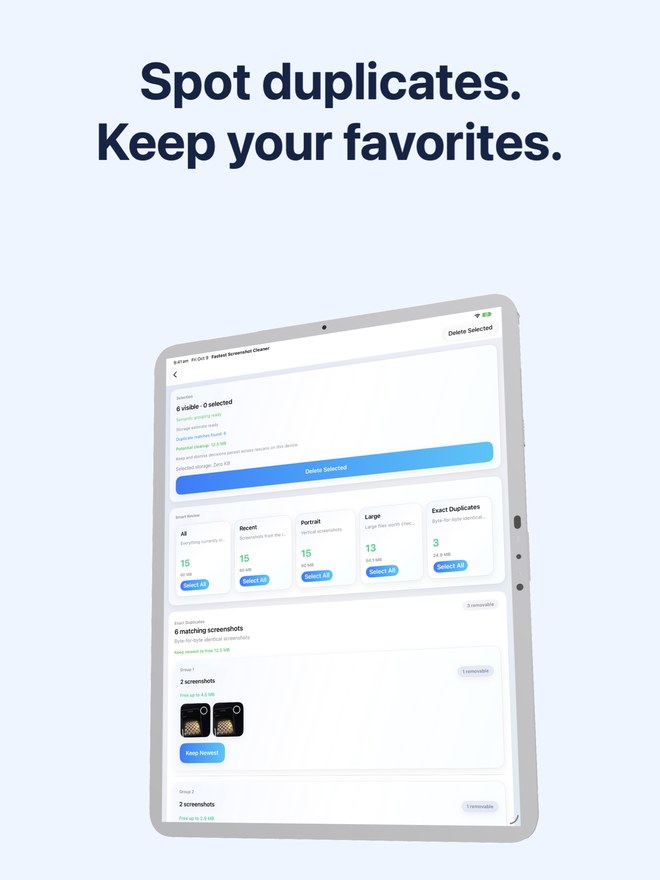
Why do two screenshots that look identical on your iPhone sometimes fail to appear in Apple Photos' built-in Duplicates utility? Whenever an image is re-saved, AirDropped, slightly cropped, or shared through an app, its underlying file bytes change even if the picture looks the same. Fastest Screenshot Cleaner separates strict SHA-256 byte clones from on-device visual and text matches so you can clean both safely.
How Exact Duplicates and Visual Matches differ under the hood
Treating every similar-looking screenshot as an automatic clone is dangerous when one copy has a handwritten Markup arrow, a cropped confirmation number, or an updated timestamp.
Fastest Screenshot Cleaner splits duplicate detection into two distinct tiers inside the Duplicates view so you always know whether two files are mathematically identical or visually similar.
| Detection Tier | How Matching Works on Device | When to Use Keep Newest vs Manual Check |
|---|---|---|
| Exact Duplicates | Byte-for-byte SHA-256 cryptographic hash of the image resource | Safe for Keep Newest — every pixel and byte is identical |
| Visual Matches | Compact visual fingerprint combined with recognized Apple Vision text | Inspect before deleting — one version may have a crop, Markup note, or extra reply |
| Apple Photos Duplicates Utility | Library-wide duplicate merge across camera photos and screenshots | Useful for general photos, but does not isolate screenshot-only stacks |
How to review and clean both duplicate tiers safely
Running through Exact Duplicates first gives you effortless space savings, leaving only the nuanced visual groups for a quick eye check.
- Run a scan in Fastest Screenshot Cleaner and open the Duplicates stack from the results screen.
- Start with the Exact Duplicates section and tap Keep Newest to automatically select redundant byte-identical copies.
- Scroll to the Visual Matches groups and compare the side-by-side thumbnails to see whether one copy includes an edit, crop, or clearer text.
- Adjust your checkmarks in any group where you prefer an older annotated copy over the newest capture.
- Tap Delete Selected and confirm inside the system iOS Photos dialog.
100% local matching with zero server uploads
Both SHA-256 hashing and Apple Vision fingerprint matching run entirely on your iPhone or iPad processor. Your screenshots are never uploaded to external servers for duplicate analysis, and limited Photos access is fully supported if you only want to check a specific batch.
Can two Exact Duplicates have different image quality?
No. Because Exact Duplicates are matched by a SHA-256 hash of the file data, both copies contain the exact same bytes and resolution.
Why did two screenshots of the same web page land in Visual Matches instead of Exact Duplicates?
Even a one-second change in the iOS status bar clock, battery percentage, or scroll position changes the PNG bytes, making them a Visual Match rather than a byte-for-byte SHA-256 clone.
Does duplicate detection work offline in Airplane Mode?
Yes, for all locally stored screenshots. Every hash calculation and Apple Vision pass runs locally on your device.